How to Identify the Best Workflows to Automate
Finding the best workflows to automate isn't about picking the tasks that sound the most tedious. It's about finding the specific points in your process where time, accuracy, or context are quietly leaking out — the ones that cost more than they look like they cost, every single week, whether anyone notices or not.
Most teams either automate too little, because nobody's mapped where the real friction is, or automate the wrong things, because a task looked repetitive on the surface without actually being a good fit underneath. Here's how to tell the difference.
1. Best Workflows to Automate: Start With Volume, Not Ambition
The best workflows to automate are almost always the boring, high-frequency ones — not the impressive-sounding ones. A task that happens twice a month rarely justifies the setup time, even if automating it would feel satisfying. A task that happens fifty times a week justifies it even if the task itself is simple.
Before automating anything, count how often it actually happens. Volume is what turns a small time savings per instance into a meaningful weekly or monthly return.
2. Best Workflows to Automate: Ask Where Time Actually Disappears
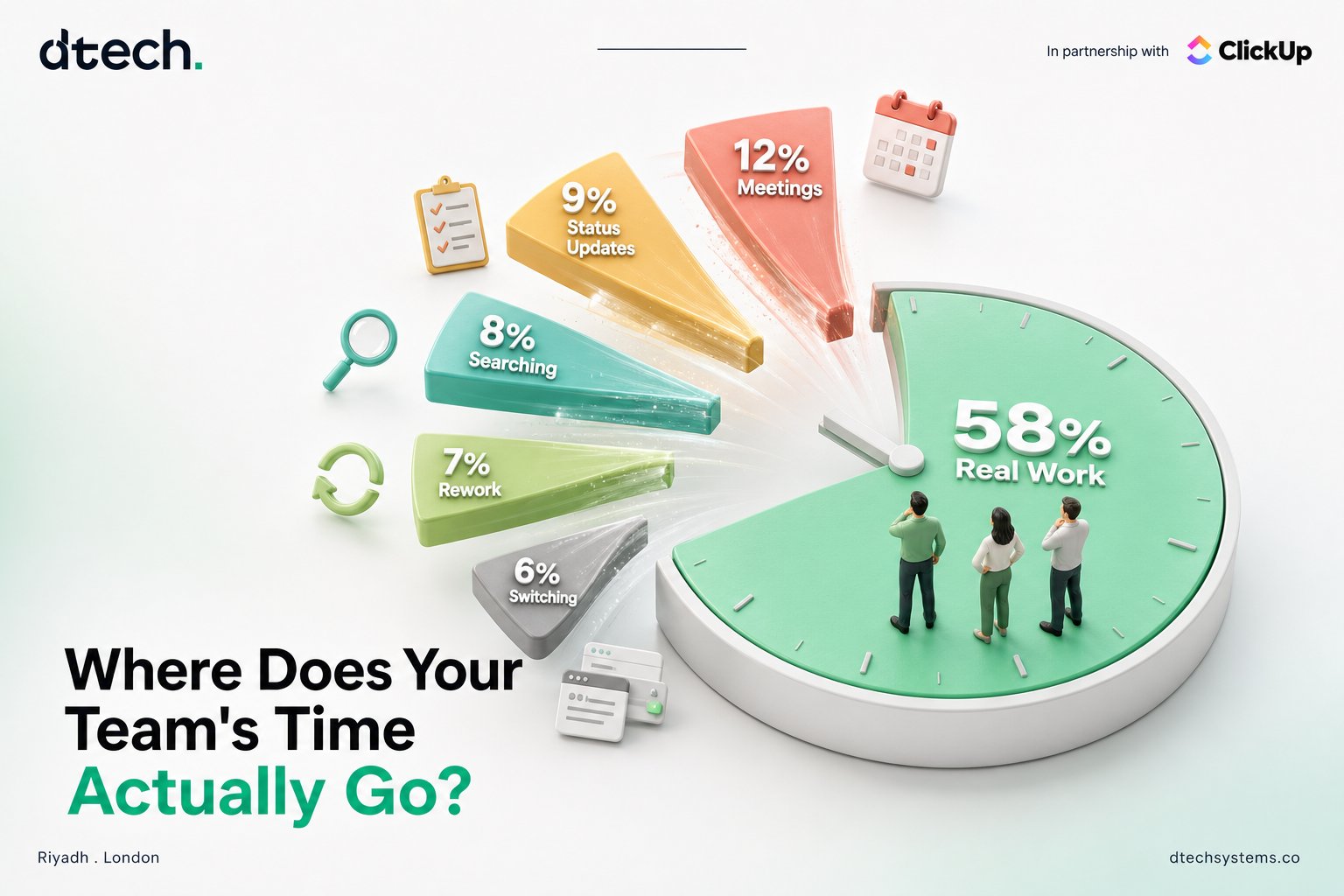
The clearest way to find the best workflows to automate is to trace where time and attention are quietly getting lost in your team's week. A few questions surface this fast:
3. Best Workflows to Automate: Look for Repetition Without Judgment
The best workflows to automate share one trait: the correct action never changes, regardless of who's doing it or when. If the answer is always the same given the same trigger, that's a rule — and rules are exactly what automation is built for.
None of these require someone to weigh context or make a judgment call. That consistency is exactly what makes them strong candidates — and it's also the test that rules out the next category.
4. Best Workflows to Automate: Rule Out Anything That Needs Judgment
Not every repetitive-looking task belongs on the automate list. If the correct action actually depends on context — the specifics of who's asking, what's happening elsewhere in the account, how urgent something really is — forcing a fixed rule onto it usually creates more cleanup work than it saves.
This is the same distinction that separates automation from AI agents: automation handles the "same trigger, same action, every time" tasks. Anything that genuinely requires reading context and deciding belongs to a different category of tool entirely, not a rule-based automation.
5. Best Workflows to Automate: Confirm the Data Is Clean Enough to Trust
An automation is only as reliable as the data triggering it. Before building one, check whether the fields, statuses, or tags it depends on are actually kept up to date consistently across the team. An automation built on inconsistent data doesn't fail loudly — it just quietly produces wrong outcomes that erode trust in the system faster than having no automation at all.
If the underlying data isn't reliable yet, that's the first fix — not a reason to skip automation, but a reason to sequence it. Clean up the input before automating the output.