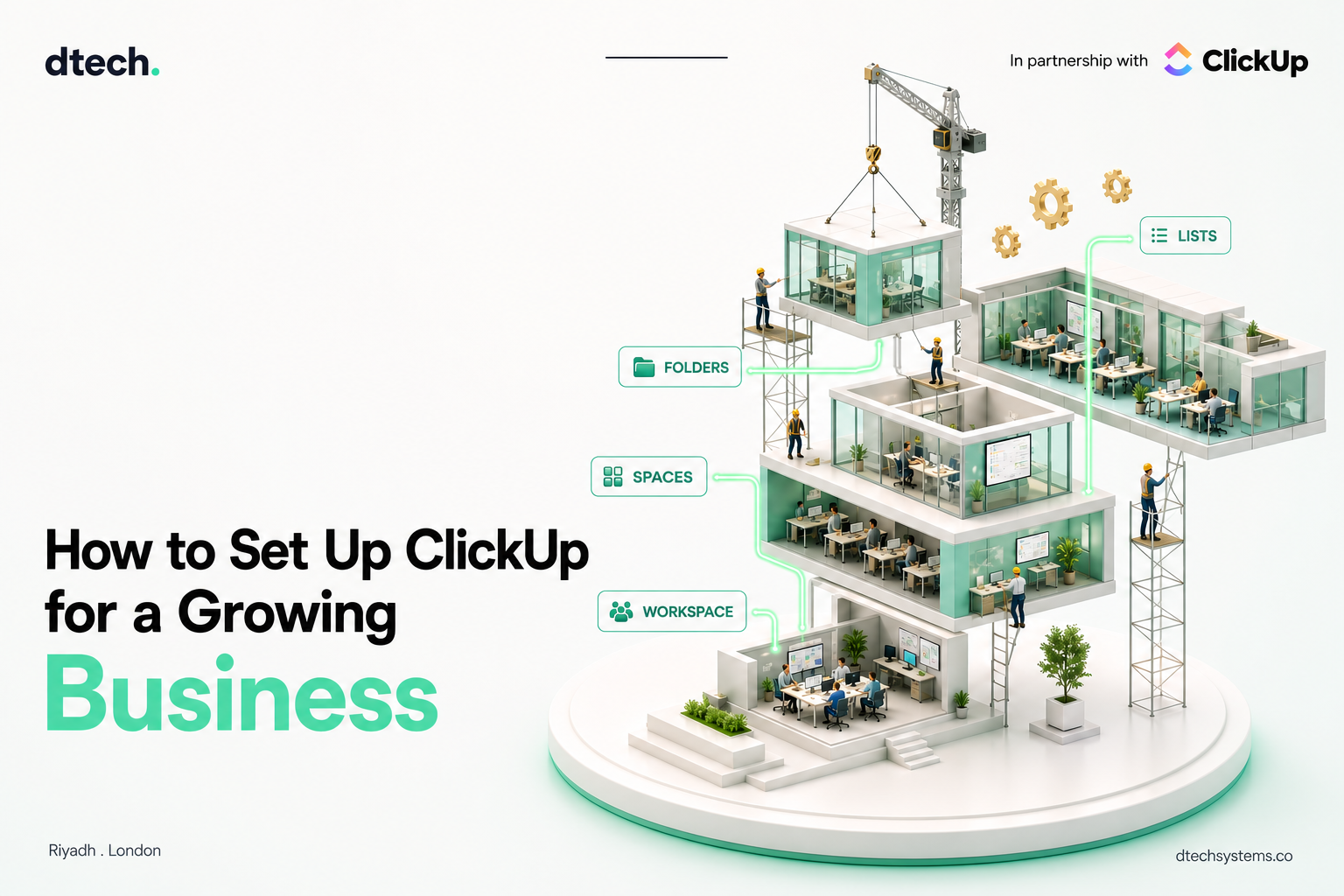
How to Set Up ClickUp for a Growing Business
The moment to set up ClickUp for a growing business properly is before it's grown, not after. A structure that works fine for six people tends to quietly break at twenty — not because ClickUp can't handle scale, but because the Workspace was never built with scale in mind.
Getting this right isn't about following every best practice at once. It's about sequencing the few decisions that are expensive to undo later.
However you set up ClickUp for a growing business, the priority steps below change with team size — pick your stage above.
5 Steps to Set Up ClickUp for a Growing Business
1. Build the Hierarchy for Where You're Headed
ClickUp's structure — Workspace, Spaces, Folders, Lists, Tasks — is designed to scale, but only if it's built with growth in mind from the start. A flat structure that works for five people becomes unmanageable at thirty. Pick Spaces organized by department or major function; they scale more predictably than Spaces created for whoever asked first. This is the single decision that makes the rest of setting up ClickUp for a growing business easier or harder.
2. Get Permissions Right Early
Permission mistakes are far easier to make — and far more disruptive to fix — once a team has grown past the point where everyone can be trusted with access to everything. Decide early which Spaces stay restricted: finance, HR, leadership planning, anything client-sensitive. Retrofitting this later means untangling who already has access to what.
3. Standardize Views Before Habits Form
Left unaddressed, everyone defaults to whatever view loads first, and that becomes a mess of individual preferences that don't match how the team needs to see its work at scale. Decide which two or three views your core workflows should default to, and set those defaults before habits calcify.
4. Automate the Handoffs, Not Everything
A growing team means more handoffs, and more places for something to sit unnoticed. This is where automations pay off fastest: status changes triggering the next task, notifications firing when something's stalled, requests routing to the right owner. Start with the two or three handoffs already causing friction, not everything at once.
Teams that skip this step when they set up ClickUp for a growing business usually notice it first as a backlog of "who's handling this?" messages.
5. Review the Structure Every Quarter
A structure built for 15 people doesn't automatically still make sense at 50. ClickUp's own onboarding guidance frames the Hierarchy as something meant to expand with the organization, not stay fixed at its starting shape. This is the step most growing businesses skip — and the one that keeps a Workspace usable a year on.
Set Up ClickUp for a Growing Business: Workspace Health Check
Toggle what's already true for your team:
What It Looks Like to Set Up ClickUp for a Growing Business Well
A Workspace set up to grow doesn't look dramatically different at 10 people versus 50 — it's the same Hierarchy, just with more Spaces and more refined permissions layered on a structure that was sound from the start. The businesses that end up needing a full rebuild are almost always the ones that built their first structure around whatever felt easiest in week one.
FAQ: Set Up ClickUp for a Growing Business
How many Spaces should a growing business start with?
Fewer than it feels like you need. Start with Spaces that map to major departments or functions, and add more only when a genuine new division of work appears.
When should a growing business start using custom permissions?
As soon as there's a Space with genuinely sensitive information. Waiting until the team has grown past the point where informal trust is enough makes the fix much harder.
Do automations become more important as a business grows?
Yes. The volume of handoffs and status updates grows roughly with headcount, and manual tracking that worked at 10 people usually breaks well before 50.
How often should a growing business revisit its ClickUp structure?
Quarterly is a reasonable baseline. A structure that fit six months ago can already be straining if the team or org chart has changed meaningfully.
We help growing businesses in Saudi Arabia and beyond build a ClickUp Workspace that still makes sense a year from now, not just today.