


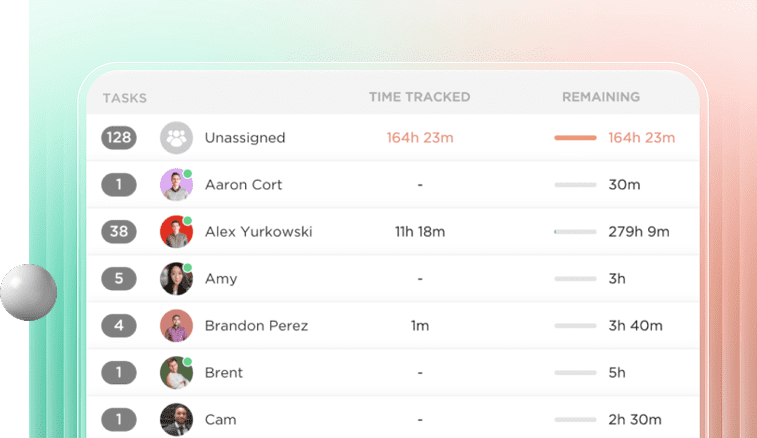
ClickUp has become one of the most popular project management platforms precisely because it promises to replace dozens of other tools. Its clean interface, flexible customization, and comprehensive Gantt charts make it an appealing alternative to Smartsheet, Asana, and Microsoft Project.
However, even as ClickUp expands rapidly to meet enterprise demands, there remains one critical gap: the lack of native baselining. For project managers, PMOs, and teams that need to track performance over time, this missing feature can undermine trust in timelines and reporting.
At DTech Systems, we’ve worked with organizations across industries who assumed ClickUp would let them easily lock planned dates and compare them to actuals. The reality is more complicated. This article explains:
- What baselining really is
- Why it matters for real-world project tracking
- What ClickUp currently does (and doesn’t do)
- How we’ve simulated baselining in ClickUp
- The status of ClickUp’s native development
- What you can do in the meantime

1. What Is a Baseline in Project Management?
In project management, a baseline is a frozen snapshot of your original plan. It includes:
- The start and end dates of each task
- The planned budget and resources
- The approved scope of work
Once the baseline is set, you use it as a reference to measure:
- Whether you’re ahead or behind schedule
- Whether costs are in line with estimates
- Whether the project is progressing as intended
Baselines are essential because no project stays perfectly static. Change happens whether it’s delays, scope creep, or unexpected accelerations. A baseline is the “before” picture that allows you to accurately assess the “after.”
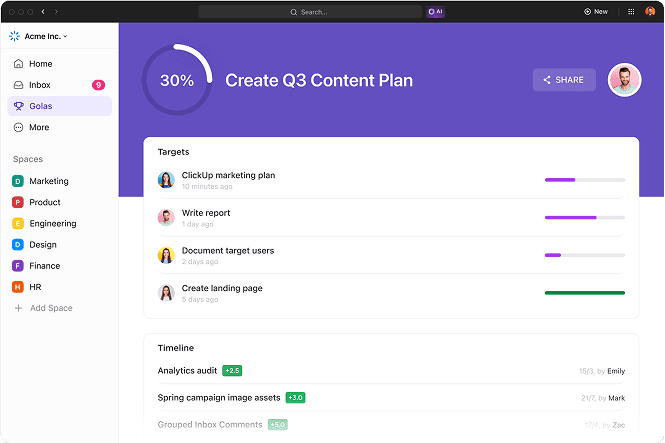
2. Why Baselines Matter for Tracking Performance
Without baselines, you’re left guessing:
- Did this project take longer than planned?
- How much have we deviated from our original timeline?
- Which teams or tasks caused delays?
- Are we improving over time?
Having a baseline allows you to create:
- Variance reports (planned vs. actual)
- Forecasts for remaining work
- Earned Value Management (EVM) calculations
- Executive dashboards that show performance over time
In regulated industries (finance, construction, defense), baselines are not optional. They are often compliance requirements.
3. ClickUp’s Current Limitations Around Baselines
While ClickUp offers beautiful Gantt views, task dependencies, and workload management, it does not yet provide:
- A way to formally freeze dates as the official plan
- Side-by-side visualization of baseline vs. actual
- Automated variance calculations in Gantt view
In ClickUp today:
- If you reschedule a task, the previous date is lost unless you manually record it.
- There is no version history or snapshot you can compare.
- Dashboards only show the current state, not where you started.
This lack of baselining is one of the most common frustrations we hear from PMOs and large organizations evaluating ClickUp as a Smartsheet alternative.
As a user on ClickUp’s feedback portal put it:
“Super basic project management function that is critical. Need updates on this so we can move to ClickUp.”
4. What ClickUp Says About Baselining
ClickUp is aware of this gap. The request for baselines has over 700 upvotes on their feedback portal and is marked “In Progress.”
According to Bugra Oktay from the ClickUp product team:
“We are in the process of building this feature. First step is to get the timeline baseline. If adding additional features will delay this (e.g., baselining budgets), we’ll prioritize timeline baseline first.”
They have also run surveys to gather input on:
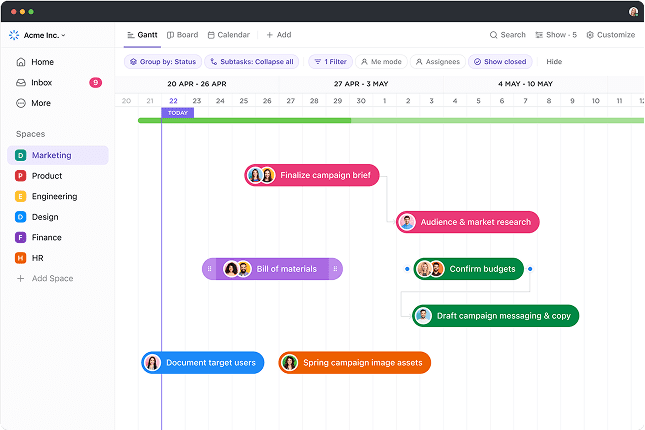
- How baselines should be displayed in Gantt view
- Whether users want separate baseline and current date columns
- Whether budget baselines should be included
At the time of this writing (mid-2025), the feature is still not released, although ClickUp has confirmed it is on the roadmap.
5. How We’ve Simulated Baselines for Clients
While we wait for native support, DTech Systems has implemented workarounds to approximate baselines. Here are some methods:
a. Custom Fields for Planned Start/End Dates
We create two date fields:
- Planned Start Date (baseline)
- Planned Due Date (baseline)
When the project plan is finalized, we manually set these fields to capture the original schedule. Any time the main Start/Due dates change, these planned fields remain untouched.
This allows teams to:
- Manually compare planned vs. current in list views
- Filter and sort by variance
- Build dashboards showing discrepancies
While this is not automatic, it provides a permanent record.
b. Separate “Baseline” vs. “Working” Gantt Views
In ClickUp, you can create multiple Gantt views. We’ve configured:
- A Baseline Gantt View that shows the planned dates (from custom fields)
- A Working Gantt View that shows the live schedule
This requires consistent discipline: users must avoid modifying the baseline view’s date fields. To help, we:
- Add labels like “DO NOT EDIT”
- Restrict editing permissions
- Use naming conventions (“Baseline Snapshot – May 2025”)
While less dynamic than true baselining, it gives teams a visual reference.
c. Permissions to Lock Baseline Data
To prevent accidental edits, we:
- Use granular permissions to restrict who can change “Planned” fields
- Assign “View Only” access to the baseline Gantt view
- Limit editing to project leads or PMO coordinators
This helps maintain data integrity while still letting teams work in the “live” schedule.
6. How This Looks in Practice: A Real-World Example
Client: A mid-sized construction consultancy managing 20+ projects across regions
Challenge: They needed to track how often projects deviated from original schedules and understand root causes.
Solution:
1. Custom Fields:
- Planned Start Date
- Planned Due Date
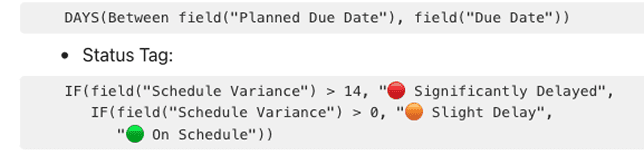
2. Formulas:
- Schedule Variance (in days)
3. Dashboards:
- Variance summaries by project manager
- Lists of tasks delayed over 14 days
- Burndown charts using the planned dates for reference
4. Training:
- Clear SOPs on when and how to update working dates
- Visual guides for reading the dashboards
Outcome:
They were able to move from vague “percent complete” updates to precise, date-based reporting even without native baselines.
7. Limitations of Simulated Baselining
While these solutions work, they are not perfect:
- They rely on manual discipline.
- They do not display baselines as ghost bars in Gantt view.
- There are no automatic alerts when variances exceed thresholds.
- You cannot revert to prior versions automatically.
This is why so many teams are eagerly awaiting ClickUp’s native implementation.
8. What’s Coming: Native Baselines in ClickUp
Based on public statements and user feedback threads, ClickUp’s native baselines will likely include:
- The ability to set a baseline when you finalize your plan
- Gantt view visualization with overlapping bars
- Automatic calculation of variance
- Filtering and reporting on deviations
Some users have also requested:
- Budget baselines
- Version history (baseline v1, v2, v3)
- The ability to baseline at the folder or space level
While timelines are unclear, this feature will be a major milestone for enterprise teams.
9. Tips for Teams Until Baselines Arrive
If you cannot wait for the official release, here’s what you can do now:
- Establish a clear SOP for when to freeze planned dates.
- Train your team to use and respect planned vs. working fields.
- Create clear labels in views so everyone understands what they are looking at.
- Use formulas to flag significant deviations.
- Consider integrations with tools like Smartsheet or Airtable if your baselining needs are extensive.
10. Final Thought
Baselines are more than a nice-to-have they are the foundation of disciplined project management. While ClickUp’s current lack of native baselining is a real gap, workarounds can help bridge it in the short term.
At DTech Systems, we specialize in:
- Designing ClickUp workspaces to support robust schedule tracking
- Implementing custom formulas and dashboards for baselining
- Training teams to maintain data discipline
- Integrating ClickUp with external tools when necessary
When ClickUp’s native baselining finally launches, you’ll be ready to transition smoothly.
Need Help Building a Baselining Process?
Whether you need help with custom fields, formulas, or integrations, we can help you build a scalable, clear, and compliant approach to planned vs. actual tracking.
📞 Book a consultation with DTech Systems today.
Let’s build a ClickUp environment that gives you the confidence to manage timelines accurately.
