Introduction: Beyond Just Project Management
It’s Monday morning. Your inbox is overflowing. Sprint timelines are slipping. The last project update took 45 minutes to compile. Now imagine all of that being done automatically, accurately, intelligently, and in real time, before you even sip your first coffee.

Welcome to ClickUp in 2025.
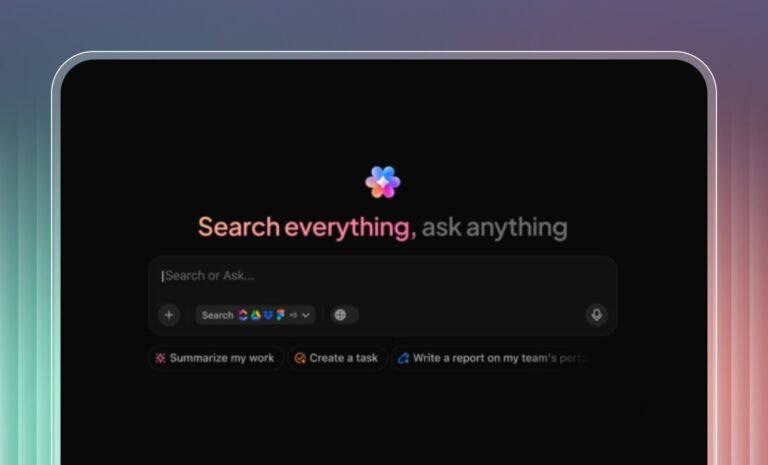
In today’s digital workplace, the speed of execution is everything. Distributed teams juggle clients, deadlines, tools, and constant context-switching. According to a 2024 Zapier survey, more than 74% of remote teams cite manual admin work as the top drain on productivity. That’s where ClickUp’s AI automations, powered by ClickUp Brain, make a game-changing difference.
Unlike legacy task tools, ClickUp no longer just tracks your work. It acts on it, assigning, summarizing, prioritizing, and adjusting workflows based on real-time inputs and behavior.
What Makes ClickUp’s AI Automations Different?
Unlike traditional “if-this-then-that” automations, ClickUp’s AI is context-aware and self-optimizing. It doesn’t just execute commands; it understands intent, analyzes team behavior, and responds in real-time
🧠 Key Features:
- Contextual Task Automation: Assigns or updates tasks based on team load, history, and urgency.
- Predictive Scheduling: Suggests due dates based on sprint progress and capacity trends.
- Intelligent Notifications: Filters what matters most, no more notification fatigue.
- Auto-Generated Summaries: Summarizes meetings and updates with key takeaways and action points.
- Smart Suggestions: Recommends templates, documents, or timelines based on your task’s context.
Why AI Automations Matter in 2025
📈 1. Productivity at Scale
According to McKinsey (2023), knowledge workers spend nearly 58% of their time on “work about work”, coordinating, reporting, and updating. ClickUp’s AI automations drastically cut that overhead.
A 50-person SaaS team that implemented ClickUp AI in Q1 2025 saw:
- 38% increase in sprint velocity
- 27% fewer overdue tasks
- 50% faster client onboarding
- Weekly standups cut from 30 minutes to 12 minutes thanks to auto-summaries
“ClickUp AI saved us nearly two full workdays a month by handling task updates and report generation automatically.” — Verified G2 Reviewer, Product Manager at FinTech startup
🤝 2. Smarter Collaboration
ClickUp connects cross-functional workflows effortlessly. Dependencies are tracked, task statuses cascade, and files are auto-shared—all without repetitive check-ins.
“We no longer ping people for updates, ClickUp takes care of it.” — Devraj M., Operations Manager, Hightower AI
Whether you’re in marketing or DevOps, ClickUp ensures real-time alignment across the board.
⚡ 3. Real-Time Decision Support
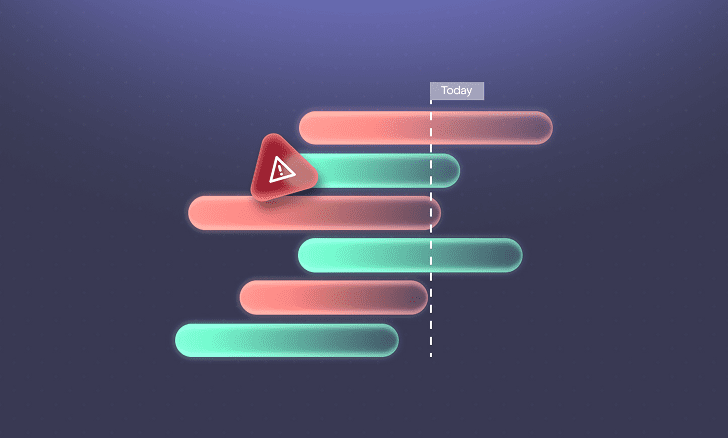
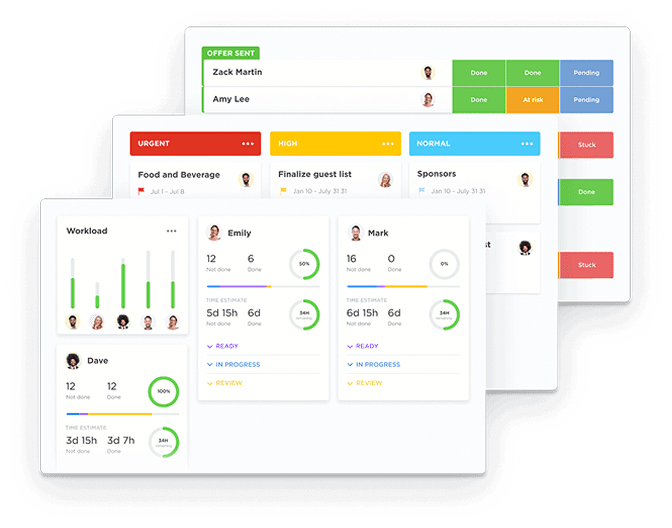
Falling behind on a sprint? ClickUp AI identifies bottlenecks, reallocates tasks, and notifies relevant owners, all before the delay turns critical
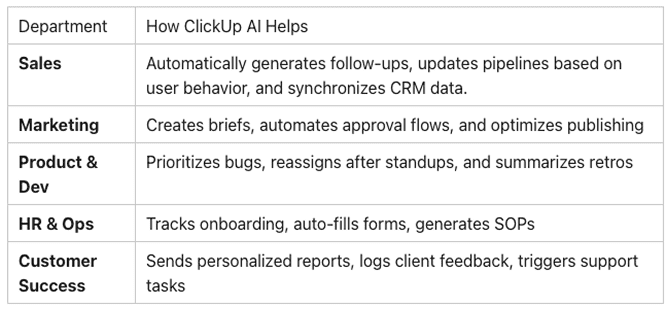
Top Use Cases: Department-Wise Breakdown
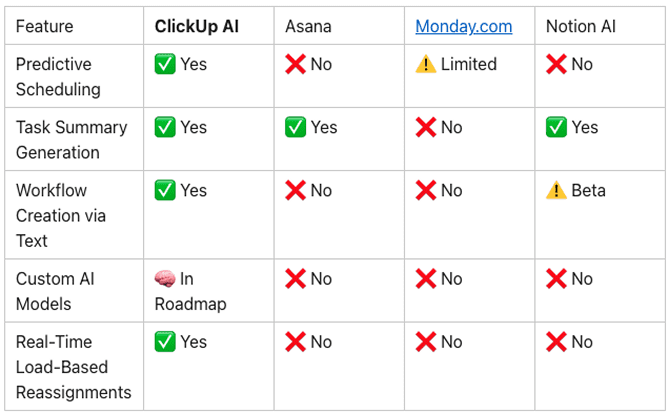
Comparison: ClickUp AI vs Other Project Tools (2025)
Getting Started: AI Automation Checklist for Your Team
To start maximizing ClickUp AI in your workflows:
✅ Audit 3–5 recurring manual processes
✅ Identify time sinks in onboarding, approvals, or reporting
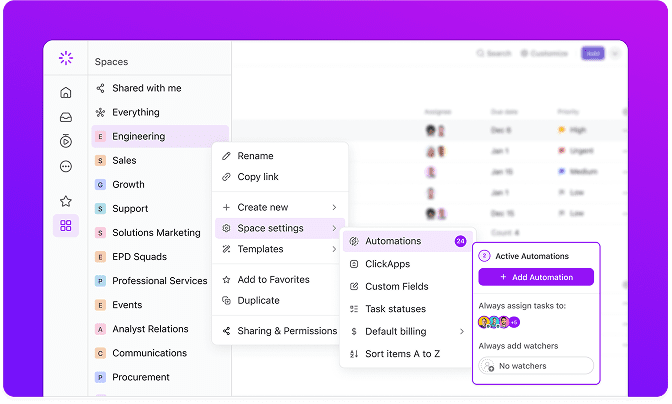
✅ Enable AI for summaries, scheduling, and smart notifications
✅ Connect ClickUp with Slack, Gmail, and CRM tools
✅ Use AI-generated templates for hiring, launches, and retros
✅ Tag tasks with keywords (e.g., “AI campaign 2025”) for smarter sorting
✅ Track time saved via automation reports in ClickUp
Pro Tips to Maximize ROI
- Integrate with Slack, HubSpot, and Google Calendar for real-time data exchange.
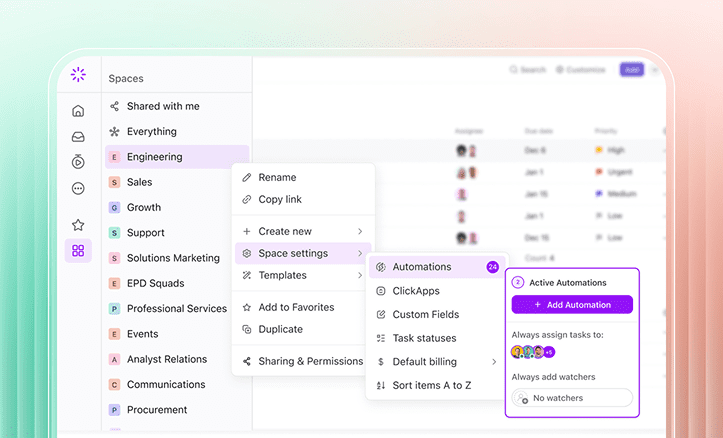
- Use conditional automations with custom fields to build dynamic workflows.
- Regularly review automation analytics to refine efficiency.
- Apply keyword-rich task tagging for improved AI recommendations and SEO discoverability.
Security, Privacy & Customization
ClickUp’s AI was built for enterprise and regulated industries. It includes:
✔️ GDPR and SOC 2 compliance
✔️ Role-based permissions for AI usage
✔️ Workspace-specific AI opt-ins
✔️ No external data sharing without consent
Teams in finance, healthcare, and legal now use ClickUp AI without compromising security standards.
Future Outlook: What’s Next?
ClickUp’s roadmap promises even more personalization and intuitive automation:
- Natural Language Workflow Builder, Say it, and ClickUp builds it.
- AI Coaching: Get data-driven suggestions to improve team velocity.
- Custom AI Models: Train ClickUp AI on your org’s language and KPIs.
ClickUp isn’t just your project manager. It’s becoming your digital operations co-pilot.

Final Thoughts: Don’t Just Manage Work, Automate It
In 2025, organizations thriving in remote-first, outcome-driven ecosystems aren’t just working smarter, they’re working intelligently.
ClickUp’s AI automation suite is no longer a luxury, it’s a new standard. Whether you’re leading a lean startup or scaling global operations, the ability to automate workflows based on real-time context is a competitive necessity.
The future isn’t waiting. And with ClickUp AI, neither should your team.