ClickUp has been rolling out some seriously impactful updates lately from better date handling across your Workspace to deeper automation capabilities, smarter AI controls, and even a brand-new way to send the AI Notetaker to meetings.Here’s a breakdown of the most useful new features you can start using today.
1. Absolute Dates Are Finally Here (Goodbye “Yesterday”, “Tomorrow”)
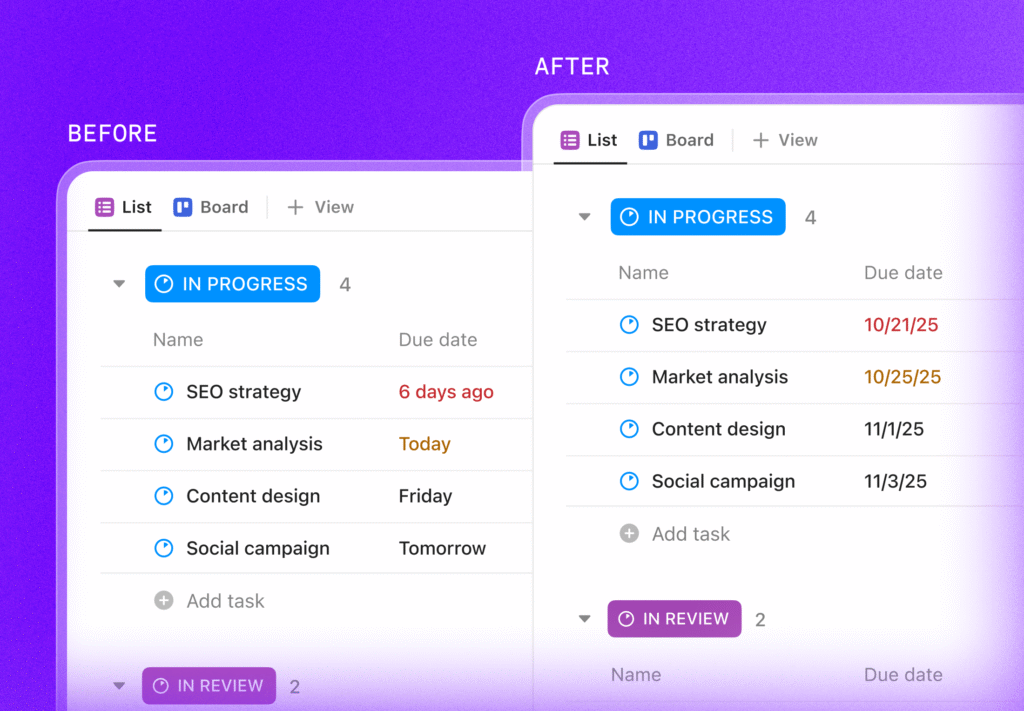
Until now, ClickUp relied mainly on relative dates, showing labels like Today, Yesterday, or Tomorrow. Convenient for internal work, but not so great when sharing deadlines externally.
What’s new?
You can now switch your entire Workspace to Absolute Dates, ensuring dates always show like this: Example: 8/27/2025 instead of “Wednesday” Perfect for:
- Client-facing deadlines
- Compliance and reporting
- External communication
- Teams that prefer clear, static dates
How to enable Absolute Dates
Workspace Owner/Admin →App Center → ClickApps → “Use Relative Dates” → Toggle OFFThat’s it, your Workspace now displays consistent, unambiguous dates everywhere.
2. Track, Purchase & Manage Your AI Credits in One Place
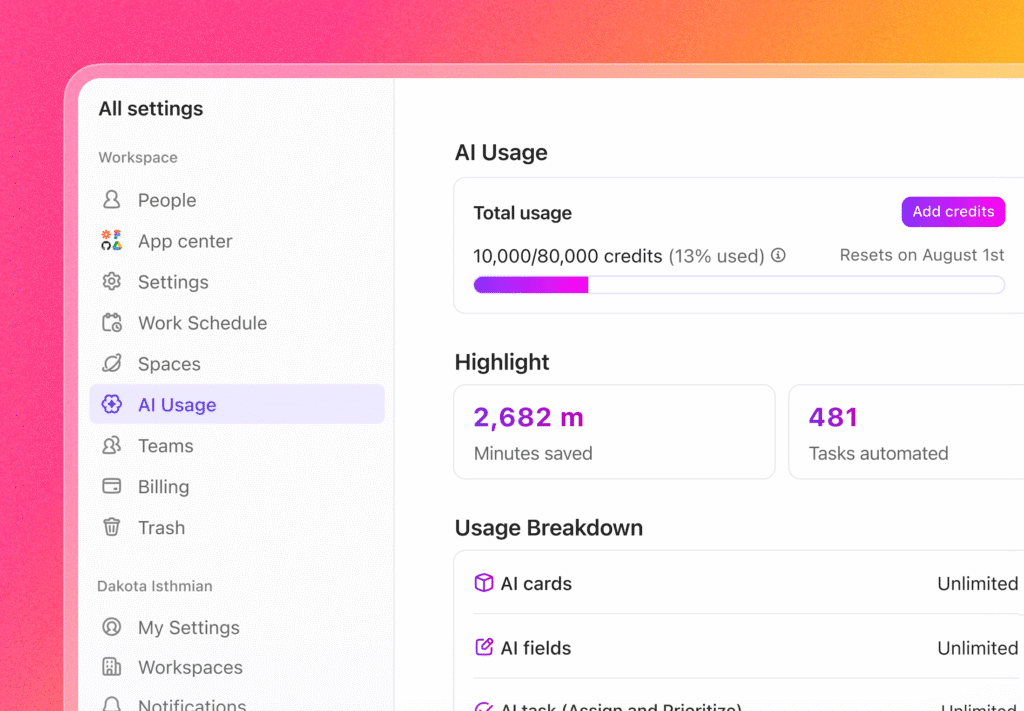
If your team uses ClickUp AI (especially automatic AI features), this update is a big deal.ClickUp now gives a transparent, detailed breakdown of AI credit usage, plus easy options to purchase more, add overage protection, or adjust monthly allocation.
What’s new?
- A dedicated AI Usage dashboard
- Visual breakdown of credit consumption
- Notifications when you hit 100% usage
- One-click purchase of additional credits
- Adjustable monthly credit plans
- Optional overage protection so your AI features never stop unexpectedly
Where to find it
Workspace Avatar → All Settings → AI Usage
Great for admins who want full control over usage, billing, and AI continuity.
3. Major Automation Upgrades (These Are Huge!)
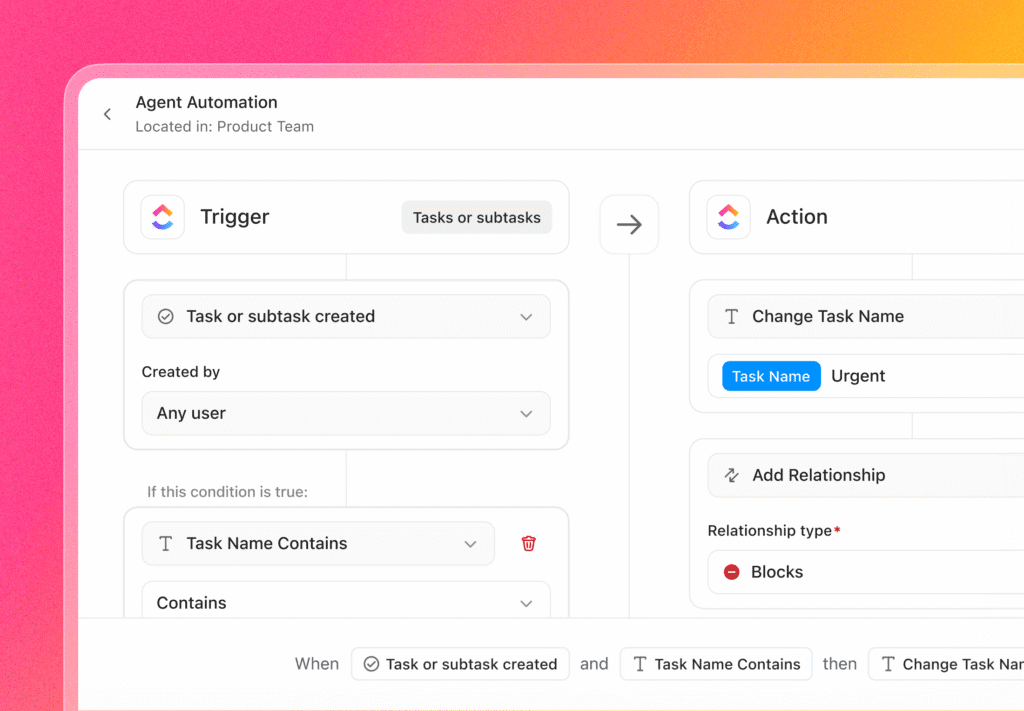
ClickUp has massively expanded Automation capabilities especially around task names and relationships, which were some of the most requested enhancements.
New Trigger
- Task Name Updated: Run automations anytime a task name changes.
New Trigger
- Change Task Name: Automatically rename tasks using variables like assignee, date, location, etc.
- Add Relationship: Instantly link a task to another task or Doc (blockers, dependencies, custom relationships).
- Create Task/Subtask with Relationships: Auto-generate new tasks and link them back to the parent or triggering task.
New Condition
- Task Name Contains
- Trigger automations based on keywords supports regex for advanced pattern matching.
Perfect for teams that use naming conventions, auto-sorting projects, or dynamic task generation.
Suggested Automation Templates
ClickUp now gives smart, personalized recommendations based on how your team works making automation setup faster and less technical.
4. AI Notetaker for Ad-Hoc Meetings (No Calendar Required!)
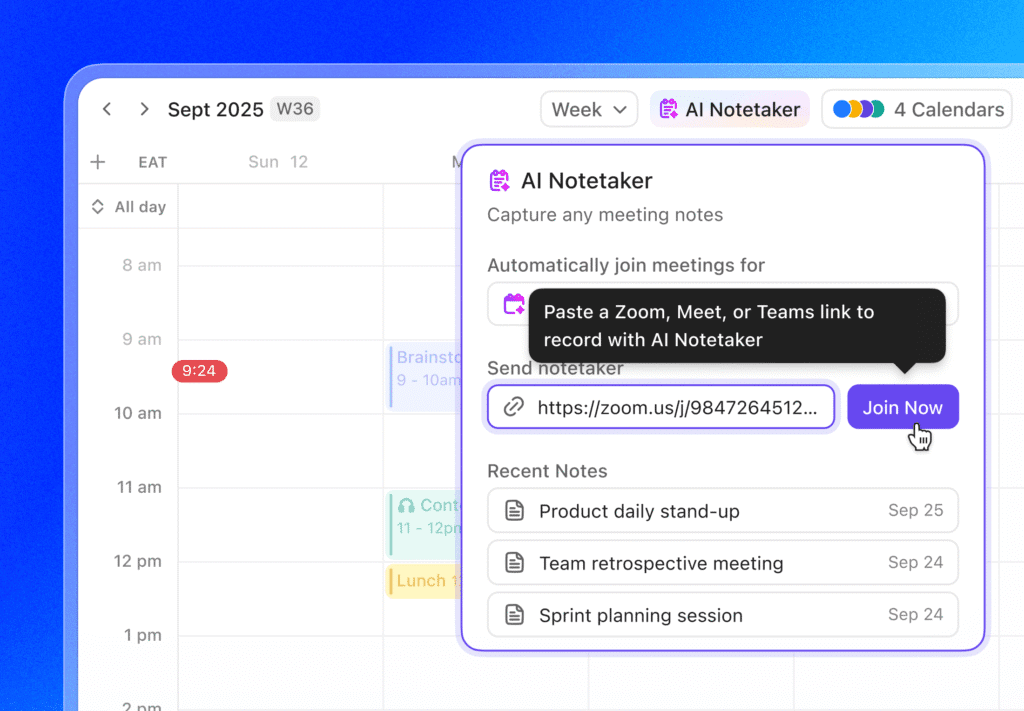
Previously, AI Notetaker needed a calendar event. Now? Not anymore.
What’s new?
You can send your AI Notetaker to any meeting instantly, even if:
- It wasn’t scheduled
- It was created last minute
- Someone just shared a link in chat
Just paste the meeting URL (Zoom, Google Meet, Teams) in the Notetaker window and ClickUp joins automatically.Perfect for:
- Emergency calls
- Impromptu client discussions
- Quick internal syncs
- Support or troubleshooting sessions
No more missed notes or “who’s writing minutes?”
These numbers highlight the strong momentum behind ClickUp’s strategy. Businesses want simplicity. They want AI that actually works. And they want a unified workspace instead of dozens of disconnected tools.
5. Custom Icons for Views (A Small Change That Makes a Big Difference)
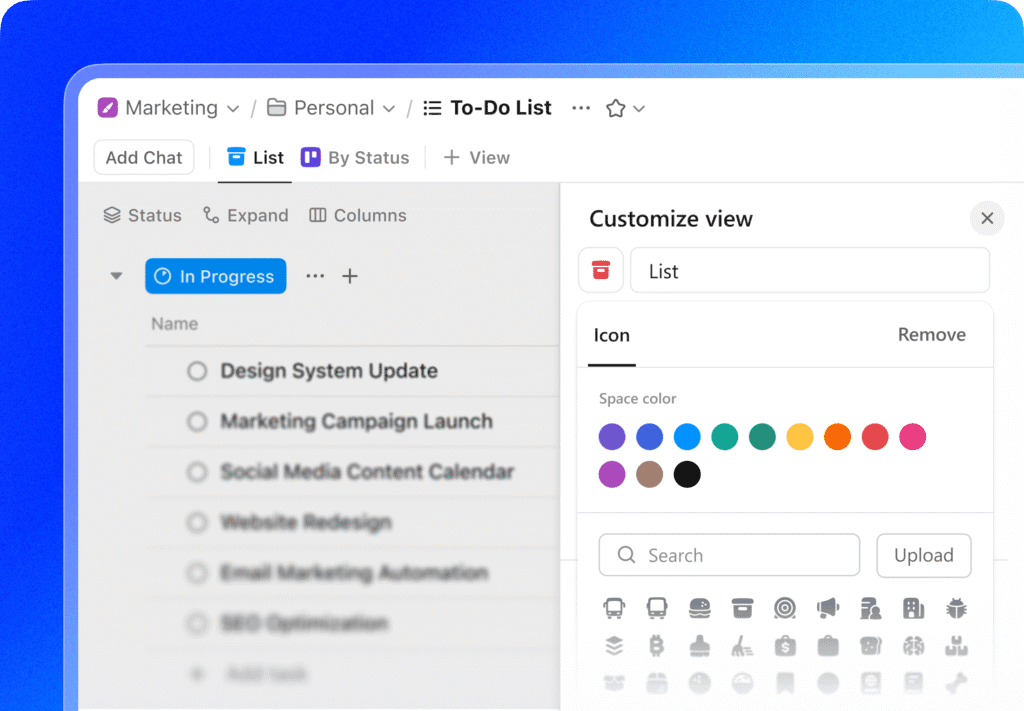
ClickUp has introduced a simple but super useful enhancement: custom icons for views.This is especially helpful for Workspaces with long view lists, now you can visually differentiate each view at a glance.
Why it matters
- Quickly recognize the right view when switching
- Add personality and clarity to shared views
- Make Favorites and Templates more visually organized
- Improve scanning and navigation for large teams
How to set a custom icon
From any view:
- Click Customize (top-right of the view).
- Click the existing icon to browse or search for a new one.
- Select the icon you want.
- Click Clear if you ever want to return to the default.
This feature works across List, Table, Calendar, Board, and more and the icon appears for everyone who can access the view.
6. New Task Type Column in List & Table Views
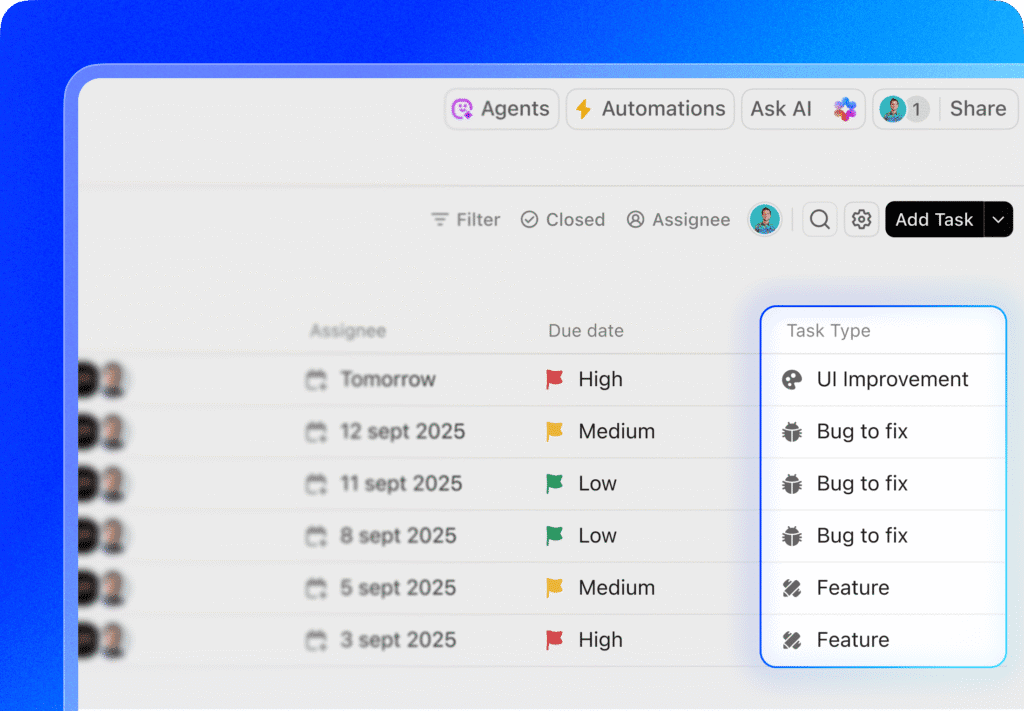
ClickUp just made task organization much smoother with the introduction of the Task Type column.
What’s new?
You can now add a dedicated column that shows and allows quick updates to the Task Type of every task, directly from List or Table views.
Key benefits
- Instantly see task types without opening the task
- Update types in bulk with drag-and-drop or inline editing
- Sort tasks by type for better grouping
- Let ClickUp AI auto-suggest task types to reduce manual work
Great for teams using structured workflows like:
- IT bug reporting
- Product development
- Marketing content pipelines
- Service delivery
- QA & testing
- Project management phases
This update brings more visibility and faster classification across the Workspace.
7. Custom Emojis for Messages
Bring personality and clarity to your workspace! Now you can:
- Create custom emojis for chats, comments, Docs, and task descriptions.
- Upload your own emoji files or import from Slack.
- Insert emojis quickly using
:+ keyword.
This makes reactions and messages more expressive and instantly recognizable for everyone in your Workspace.

8. Scheduled Dashboard Reports
Keep stakeholders in the loop automatically with scheduled reports:
- Send PDFs of Dashboards on a recurring schedule.
- Customize triggers (date, time, repeat schedule) and recipients (To, CC, BCC).
- Manage, edit, deactivate, or restore reports anytime from the Manage Scheduled Reports modal.
- Track usage and activity to see which reports are sent and by whom.
This update brings automation to reporting, reducing manual follow-ups and making dashboard insights easier to share.

Conclusion
The acquisition of Qatalog marks a turning point—not just for ClickUp, but for the entire way teams work. With advanced enterprise search, permission-aware AI, deep integrations, and a unified workspace, ClickUp is now positioned as a leader in the next era of productivity software.
The message is clear:
The future of work is converged, connected, and powered by intelligent AI, not endless tools.ClickUp is building that future today.