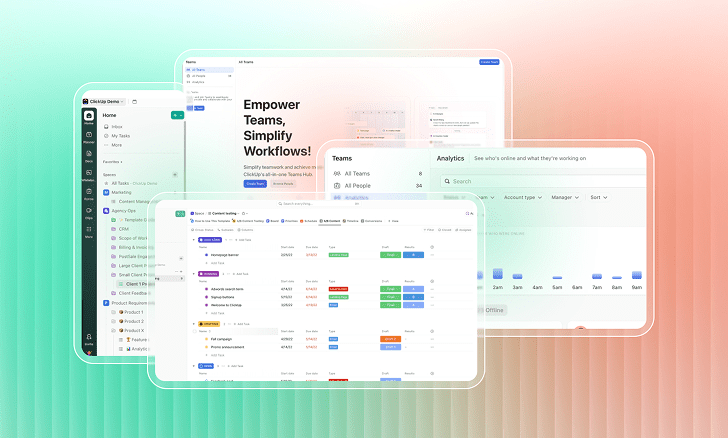
ClickUp has earned a strong following among teams, project managers, and productivity enthusiasts for its flexibility and all-in-one approach to work management. Now, with the release of ClickUp 4.0, the platform introduces its most significant user experience overhaul to date.
But is it a meaningful upgrade or just a visual refresh? To find out, we dug through community feedback, especially from Reddit users who have tested the new interface firsthand. Here’s a detailed look at what’s new, what’s improved, and what still needs work in ClickUp 4.0.
What Is ClickUp 4.0?
ClickUp 4.0 is a major UI and UX redesign. The core functionality; tasks, lists, folders, and spaces remains unchanged, but the way users interact with the platform has been reimagined to simplify navigation and strengthen collaboration.
What’s New:
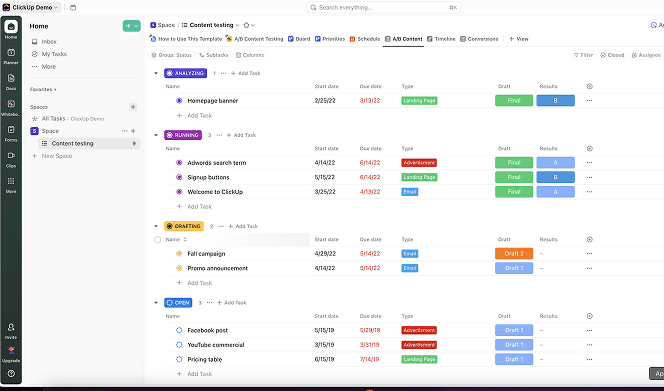
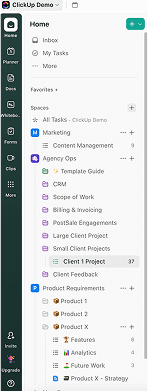
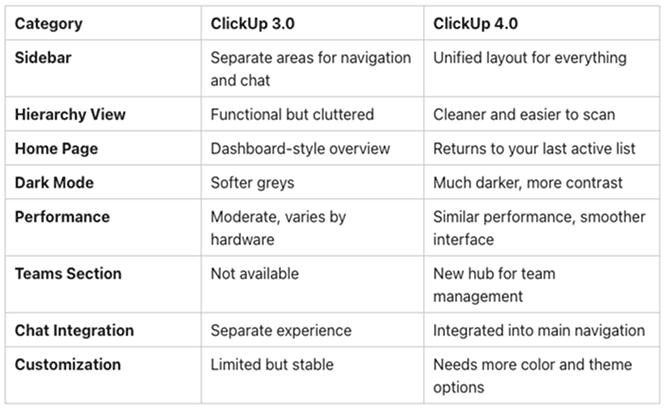
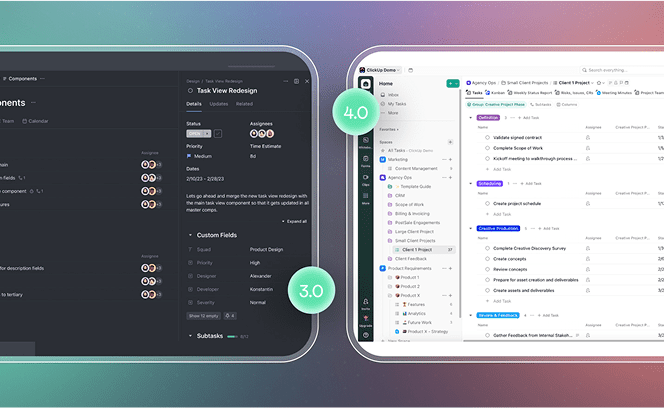
- Unified Sidebar: Chat and DMs are now integrated into the main sidebar for easier access.
- Slim Utility Bar: A narrow bar on the far left offers quick access to Home, Calendar, and Planner.
- Refined Hierarchy: The structure of Spaces, Folders, and Lists is visually cleaner and easier to navigate.
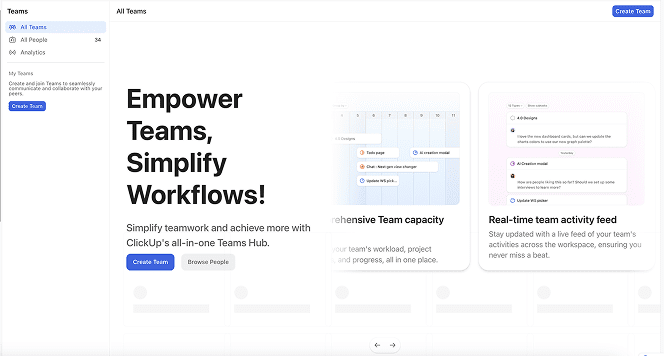
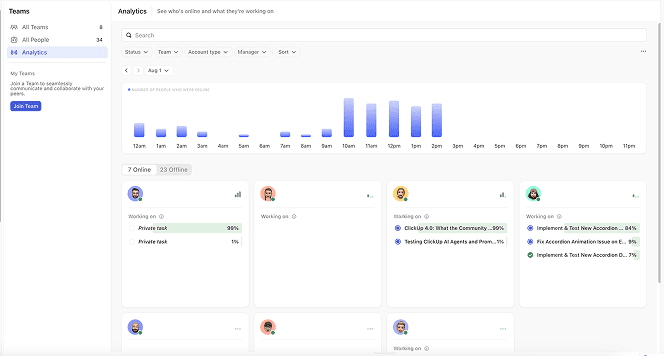
- Teams Section: A new area for managing workload, standups, and analytics.
- Home Redefined: The original “Home” becomes “My Tasks.” The new Home takes users to their last active list.
- Visual Overhaul: Most changes focus on layout, design, and UI consistency.
First Impressions: Community Insights
Performance and Stability
Beta testers generally describe the update as smooth and bug-free. However, many users note that performance feels similar to ClickUp 3.0, especially on older or less powerful devices.
Sidebar Redesign: Mixed Reactions
The sidebar has sparked a range of opinions. Some users appreciate the streamlined layout and chat integration, while others feel the new design is bulkier and visually outdated. There are also concerns about visibility and contrast in dark mode.
New Teams Area
The Teams section is one of the most positively received features. It introduces tools for workload balancing, standups, and performance insights, especially helpful for larger teams and enterprise users.
Navigation Overhaul
Users now land on their most recently accessed list when opening Home. “My Tasks” takes over as the new personal hub. While some users find this more intuitive, others are still adjusting to the shift in navigation flow.
What Users Are Loving
- Integrated Chat: Fewer missed messages and easier access to DMs and channels.
- Streamlined Hierarchy: Less visual clutter and clearer organization of workspaces.
- Compact Pins and Favorites: Cleaner access to important items, now including messages and channels.
- Separated Posts and Chat: Keeps formal updates and discussions separate.
- Teams Management Tools: Centralized view of team activity, capacity, and analytics.
Common Complaints and Limitations
- No Speed Boost: Performance remains roughly the same, particularly for those on older machines.
- Sidebar Design: Some users feel the new layout looks heavier and less refined.
- Dark Mode: The updated theme is much darker, leading to strong requests for softer options or custom themes.
- Unwanted Views: Certain views (e.g., List, Board) are now added automatically to workspaces, which some users dislike.
- Dashboard Features Paywalled: Initially, custom dashboard cards were restricted to premium tiers. ClickUp later clarified this was an error and reversed the change
Still Missing or Unchanged
- No Subfolder Support: A long-requested feature is still absent.
- Backend Functionality: Most improvements are surface-level, with no changes to core performance or database architecture.
- Task Management Features: The core experience of creating and managing tasks remains unchanged.
How to Try ClickUp 4.0
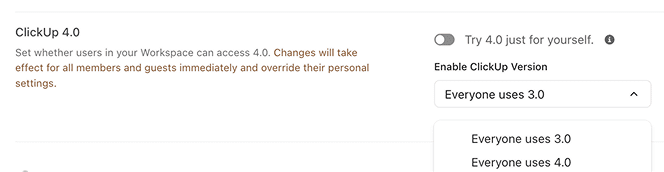
ClickUp 4.0 is not yet available to all users by default. Here’s how you can get access:
- New Workspaces: All newly created workspaces come with ClickUp 4.0 enabled.
- Existing Workspaces: You can request early access by contacting ClickUp support or responding to announcements in ClickUp’s community channels.
- Partial Rollout: Within a workspace, some users may still see the old UI until the update is applied across the board.
What the Community Is Saying
“The chat sections are better integrated now, and I’m expecting to miss fewer notifications.” – reddit user”I like the new icon set for views and boards. The chat integration looks strong.” – mssantan”The updated dark mode is just too dark. I switch between themes constantly because neither feels right anymore.” – reddit user”Favorites now include DMs, which is useful. But the views tab is cluttered and confusing. Adding a channel shouldn’t be in that section.” – reddit user
ClickUp 4.0 vs. 3.0: A Side-by-Side Comparison
Should You Upgrade?
You’ll likely enjoy ClickUp 4.0 if you:
- Use ClickUp Chat often and want smoother communication
- Manage teams and need workload analytics or centralized tools
- Prefer modern, minimal interfaces with clearer layouts
You’ll likely enjoy ClickUp 4.0 if you:
- Rely on older hardware and expect better speed
- Prefer the visual design and theme options in 3.0
- Are sensitive to visual clutter and want more UI flexibility
Final Thoughts
ClickUp 4.0 represents a significant visual and functional refresh. It focuses heavily on improving collaboration and simplifying the user interface, with features like integrated chat and a dedicated Teams section. While it may not introduce new backend features or performance upgrades yet, it sets the stage for bigger changes in future releases.
The community response is mixed but constructive. ClickUp’s willingness to iterate based on user feedback is a promising sign. If you’re starting a new workspace or eager for a cleaner interface, this update is worth exploring.
Frequently Asked Questions: ClickUp 4.0
1. What is ClickUp 4.0?
It’s a major UI update introducing integrated chat, a refined navigation system, and a new Teams section for collaboration.
2. Is it available for everyone?
No, it’s currently available by default for new workspaces. Existing workspaces can request access from ClickUp support.
3. What’s different from 3.0?
ClickUp 4.0 has a unified sidebar, a new Home experience, and better chat integration. The visual hierarchy has also been improved.
4. Are the core features the same?
Yes, task and list management functions remain unchanged.
5. Is it faster?
The update is smoother but not noticeably faster, especially on lower-spec devices.
6. Can I go back to ClickUp 3.0?
In most cases, no. Once 4.0 is fully enabled for a workspace, it becomes the default experience.
7. What’s the most significant new feature?
The Teams section, which consolidates workload tracking, standups, and analytics.
8. Are there any known problems?
Some users dislike the new dark theme and feel the sidebar is too dense. More customization options have been requested.
9. Where can I learn more?
Visit the ClickUp Help Center for official updates and support.
If you’ve tried ClickUp 4.0, we’d love to hear your thoughts. Is it a meaningful upgrade or just a cosmetic shift? Let us know in the comments. Your feedback may help shape what’s next.
Need Help Navigating ClickUp 4.0?
Whether you’re exploring the new interface or planning a full workspace overhaul, DTech Systems can help you get the most out of ClickUp 4.0. As the only verified ClickUp reseller in Saudi Arabia, we specialize in implementation, training, and automation tailored to your team’s needs.
Book a consultation with our experts to optimize your workspace, streamline your workflows, and ensure a smooth transition to ClickUp 4.0.
👉 Get in touch with DTech Systems today and take your productivity to the next level.