Key Takeaways
- A well-structured knowledge base powers both human and AI support across Help Center, Fin, and Copilot.
- Start with customer-first content strategy aligned with business goals.
- Build intuitive Help Center collections and actionable articles.
- Organize content using the Knowledge Hub to fuel AI accuracy.
- Personalize AI responses with custom content audiences.
- Continuously optimize using performance analytics and AI suggestions.

Step 1: Understand the Dual Role of Support Content
Before writing a single article, recognize that your support content isn’t just for your customers, it’s also for your AI.
- Self-serve Help Center: A customer-facing support space, available 24/7.
- AI support tools (Fin & Copilot): Behind the scenes assistants that rely on content accuracy and structure to give precise answers.
- Support content should be written in a format that humans and AI can both easily understand, clear headers, direct answers, and well-structured formatting.
At the center of this is Intercom’s Knowledge Hub a unified content management system that powers all your support channels.
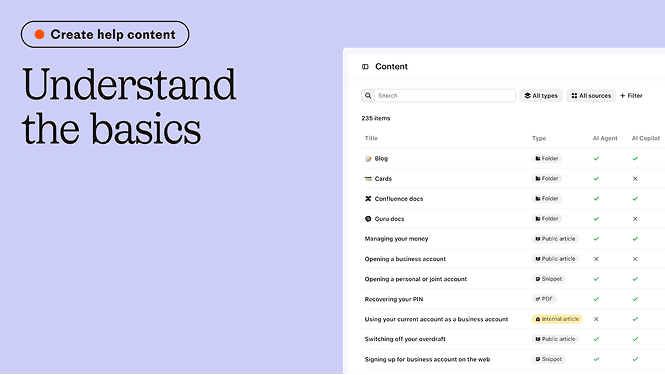
Step 2: Choose the Right Content Strategy
An effective content strategy starts with clarity on your goals and customers.
- Your audience: Who are your users, and what are their common questions?
- Your goals: Are you trying to reduce support volume, increase product adoption, or improve customer satisfaction?
- Your channels: Will the content serve your Help Center only, or also AI agents like Fin and Copilot?
Start with the Help Center once this foundation is solid, it becomes easier to power AI and live support interactions.
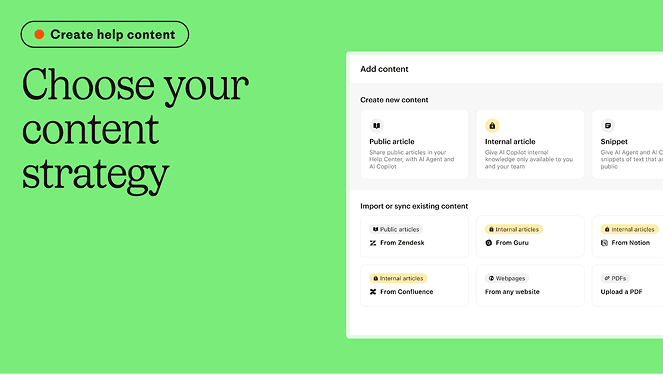
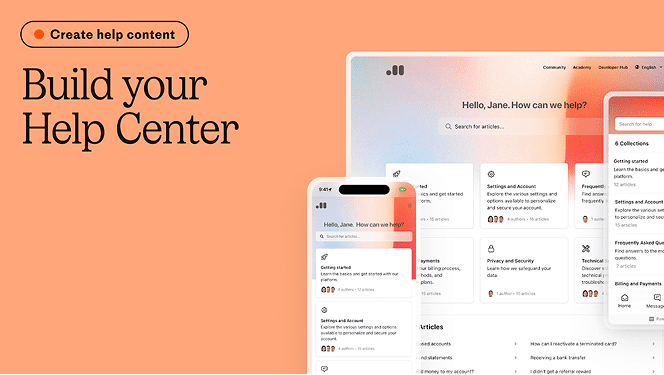
Step 3: Build a Help Center for Self-Serve Success
Your Help Center is often the first place customers go to find answers. Make it work for them.
Create Collections
Think of collections as categories (like Billing, Getting Started, or Troubleshooting).
- Start with at least 2 collections, each with 3+ articles.
- Group them by product area or customer need.
Add Articles
Each article should be an actionable resource, not just text.
- Use clear titles and subtitles.
- Include headers, callouts, media, and structured layouts.
- Make sure every article is assigned to a collection otherwise, it won’t be searchable.
Article Ideas:
- Pull from chat history or FAQs.
- Ask your support and sales teams what customers struggle with most.
- Analyze competitors’ Help Centers.
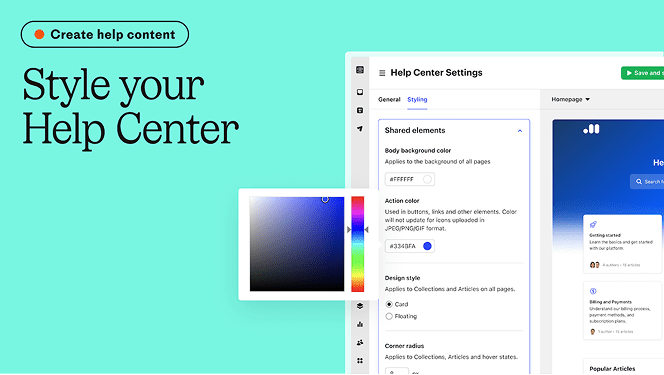
Step 4: Style and Launch Your Help Center
Your Help Center should feel like an extension of your brand.
Customize it:
- Use the Brand Importer to match your website’s style.
- Change colors, fonts, and layout from the settings.
- Set a custom domain and footer for professional polish.
Once styled:
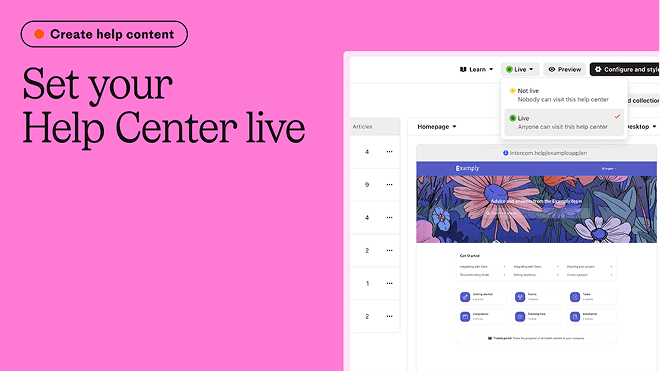
- Set it live
- Double-check articles are published and assigned to collections.
- Click through the site to test usability.
Boost visibility:
- Add the Help Center to Intercom Messenger.
- Use the Article Inserter App in conversations to share relevant links.
Step 5: Organize the Knowledge Hub for AI Agents
This is where your content turns into smart support.
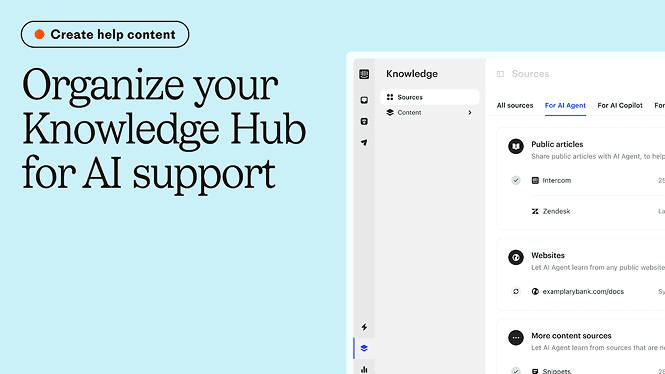
Your AI agent’s effectiveness is only as good as your content’s structure. So take the time to organize your Knowledge Hub thoughtfully.
What to include:
- Public articles
- Internal-only content
- Snippets, PDFs, past chats, and even web links
Folder organization:
- Organize by product features or services.
- Organize by content owners or departments.
Use content tags to group similar topics and make them easier to update or retrieve.
Step 6: Personalize AI Content by Customer Segments
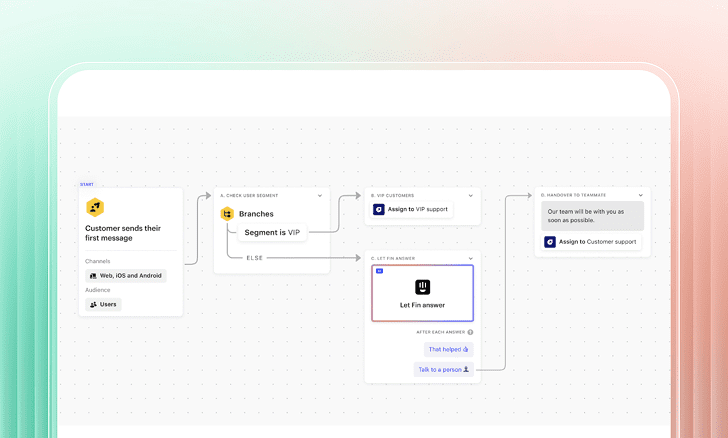
Want your AI to treat VIPs differently than free users? You can do that.
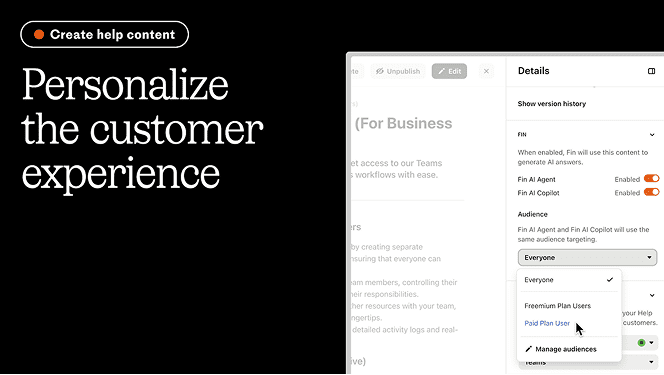
Use Content Audiences:
- Define specific user segments.
- Assign content to each segment so Fin gives targeted responses.
- You could have a premium onboarding article visible to all users in the Help Center, but Fin only shares it with paying customers in conversations.
- Fin also respects Help Center visibility rules and can further refine responses based on custom audiences for any content type.
Step 7: Monitor, Analyze, and Continuously Optimize
Great content evolves with your product. Keep improving by watching how it performs.
Use Intercom analytics:
- Articles Report: See what’s working and what isn’t.
- Most viewed articles
- Conversations triggered from content
- Click on “Microsoft Outlook” to proceed with the setup
- Failed searches (content gaps)
- AI Suggestions: Get instant advice to rewrite weak content.
- Optimize Dashboard: Track Fin’s resolution rate and understand where it struggles.
- Don’t forget to track Copilot performance too, what content it uses and how it helps agents reduce workload.

Final Thoughts
Creating self-serve and AI-ready support content is not a one-time task, it’s a strategy. The more structured, clear, and personalized your knowledge base is, the more powerful your AI tools become.
Whether you’re launching your first Help Center or optimizing for Fin and Copilot, Intercom gives you the tools to build support that scales. Dtech’s Intercom team can get your content, AI agent, and Help Center running with full strategy and implementation.