Ever find yourself spending more time managing tasks in ClickUp than actually completing them? Or forgetting action items after an important meeting? Maybe you have spent hours creating reports or writing updates for your team.
Across the Middle East, especially in Saudi Arabia, the UAE, and Egypt, teams are rapidly adopting AI-powered tools to simplify their workflows. With international companies entering the market, large scale projects with Government entities, remote teams, and bilingual communication needs, staying organized can be a challenge.
That is where ClickUp Brain comes in. It is ClickUp’s built-in AI assistant designed to simplify your work by helping you find information, automate routine tasks, and generate content, all within your workspace. Whether you are managing projects in Riyadh, leading a startup in Dubai, or collaborating with teams in Cairo, ClickUp Brain helps you work smarter and get more done.
What Is ClickUp Brain?

ClickUp Brain is ClickUp’s built-in AI assistant that helps you find information, manage tasks, and write content within your workspace. It combines artificial
intelligence with ClickUp’s productivity tools, helping teams across the Middle East stay aligned and efficient.
Unlike generic AI tools, ClickUp Brain was made specifically for ClickUp, so it understands your projects, documents, and conversations. Whether you are looking for an update, summarizing a meeting, or drafting a report, it delivers answers in seconds.
You can simply ask:
“What is the latest progress on the Dammam marketing campaign?”
“Summarize this task’s comments in Arabic.”
“Write a project update for the client based in Sharjah.”
ClickUp Brain responds instantly to requests like these with contextual results, saving you time and keeping your workflow organized.
Three Ways ClickUp Brain Helps You Work Smarter
ClickUp Brain works in three main ways to make your workflow faster and more efficient — as an AI Knowledge Manager, an AI Project Manager, and an AI Writer for Work.
AI Knowledge Manager
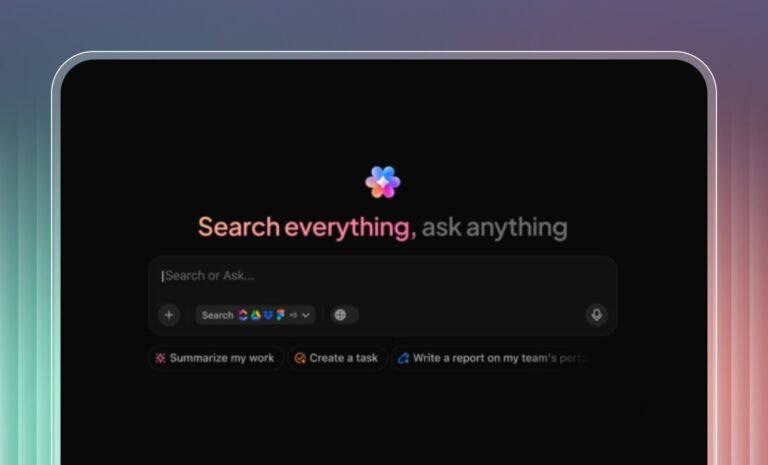
The AI Knowledge Manager acts like your personal workspace librarian. It helps you find answers instantly from tasks, documents, and projects using text or voice queries. You can also import your knowledge base for even smarter responses.
Example: “What are the action items from last week’s meeting?”
It is especially helpful for organizations managing multiple projects across cities in the MENA region, where quick access to information can make or break project timelines.
AI Project Manager
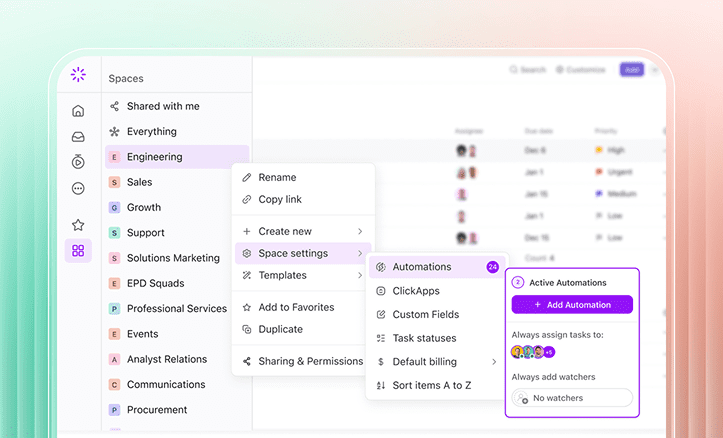
The AI Project Manager automates task updates, status reports, and team coordination. It can summarize projects, create action items, and even follow natural-language rules like:
“Whenever a support ticket is marked urgent, assign it to the support lead.”
AI Writer for Work
The AI Writer for Work helps you create and refine content inside ClickUp. It can generate meeting notes, project briefs, and client updates tailored to your tone and role.
Example: “Write a weekly summary of completed marketing tasks.”
Note: Always review AI-generated text before sharing to ensure accuracy and clarity.
ClickUp Brain Use Case 1: Reporting
Creating detailed reports can often take a lot of time, but ClickUp Brain makes the process effortless. With a clear prompt, you can instantly generate summaries, task breakdowns, and time reports right inside ClickUp.
For instance, you can ask:
“Create a monthly report for the tasks assigned to me in October 2025, showing key tasks, urgent items, and the total time spent on each task and subtask.”
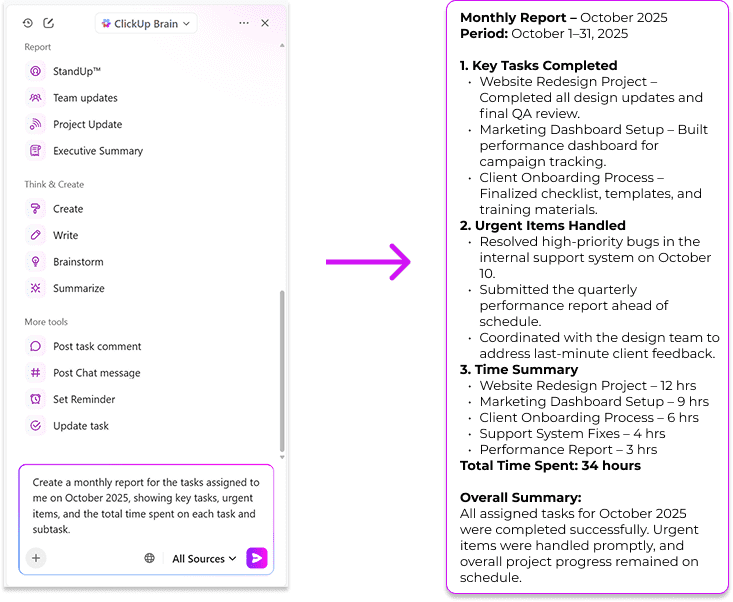
ClickUp Brain will produce a structured report that you can refine further by adding more instructions — whether you want to include project status, team performance, or upcoming goals. It saves time and ensures your reports are always accurate and consistent.
Protip: You can also generate reports in your native language! For example if you want the report to be generated in Arabic, you can prompt –
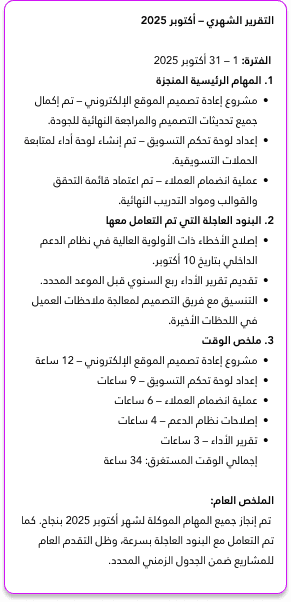
“Create a monthly report (in Modern Standard Arabic) for the tasks assigned to me in October 2025, showing key tasks, urgent items, and the total time spent on each task and subtask.”
The following is the output in MSA –
ClickUp Brain Use Case 2: Turning Meeting Notes and Comments into Actions
Taking notes during meetings or reading through long comment threads can be time-consuming, and it is easy to miss key follow-ups. ClickUp Brain can automatically turn these discussions into actionable subtasks, helping you stay organized and ensuring that every task is accounted for.
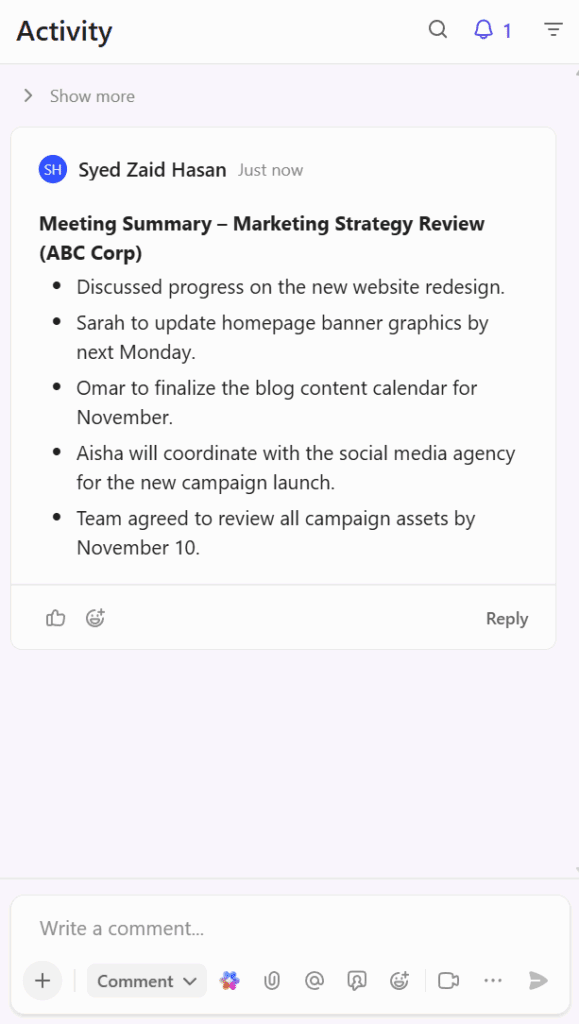
Here is a sample meeting note from ABC Corp:
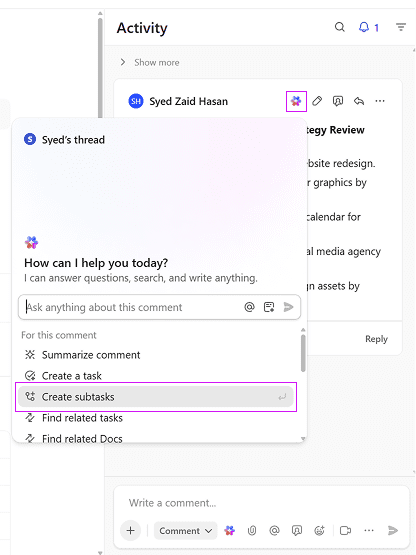
You can ask ClickUp Brain to create subtasks:
ClickUp Brain will then generate subtasks such as:
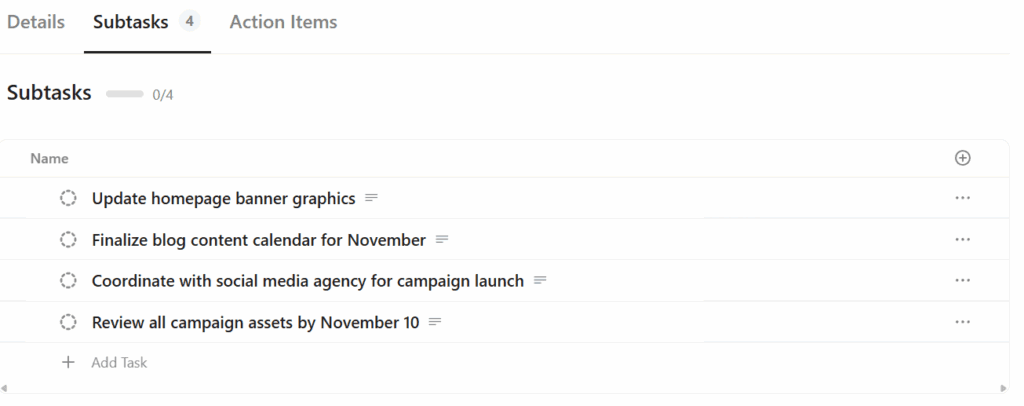
It can also include new items mentioned in task comments, such as reminders, feedback points, or client requests, turning team discussions into clear, trackable work items automatically.
Final thoughts on ClickUp Brain
As AI adoption grows rapidly across the Middle East, tools like ClickUp Brain are helping organizations in Saudi Arabia, the UAE, and Egypt streamline operations, enhance collaboration, and boost productivity.
Whether you are a project manager in Jeddah, a startup founder in Abu Dhabi, or a marketing lead in Alexandria, ClickUp Brain helps you automate the small things so you can focus on the big picture.
If you have not tried it yet, open ClickUp, click the Brain icon, and see how ClickUp Brain can transform the way your team works.