
What Are Intercom Workflows?
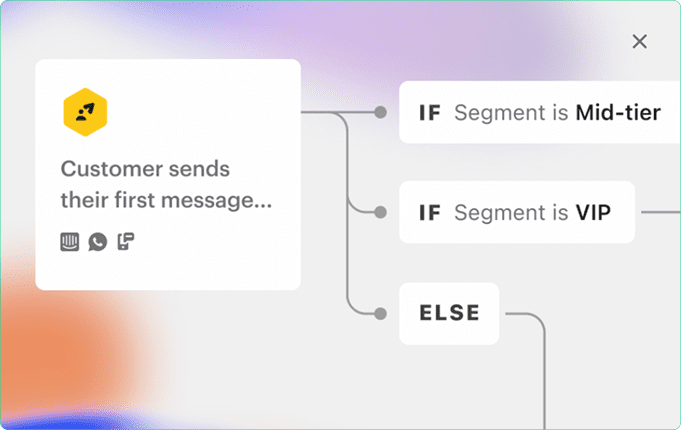
Intercom Workflows are visual, no-code automation flows that let you manage how conversations unfold with customers. Whether someone is visiting your pricing page, signing up for the first time, or coming back after a long break, Workflows help you respond with the right message, at the right time, automatically.
You can use Workflows to:
- Answer FAQs instantly using bots or Fin AI
- Collect user data and qualify leads
- Route conversations to the right team or agent
- Automate follow-ups, ticket creation, tagging, or snoozing
- Engage users via Messenger, Email, WhatsApp, or SMS
They’re a complete toolkit to streamline communication across your customer lifecycle without any manual effort.
Why Use Workflows vs. Basic Chatbots?
Basic chatbots are limited to answering preset questions and may not handle complexity well. Intercom Workflows, on the other hand, are dynamic, multi-step journeys that adapt based on each user’s behavior or responses.
For example, while a chatbot might simply reply with an article when someone types “pricing,” a Workflow can:
- Ask the user what they’re looking for
- Check if they’re a new or returning visitor
- Show relevant pricing tiers or connect them to sales
- Automatically tag and follow up
This difference allows Workflows to not just respond but guide users, collect data, and drive action.
How to Build a Workflow
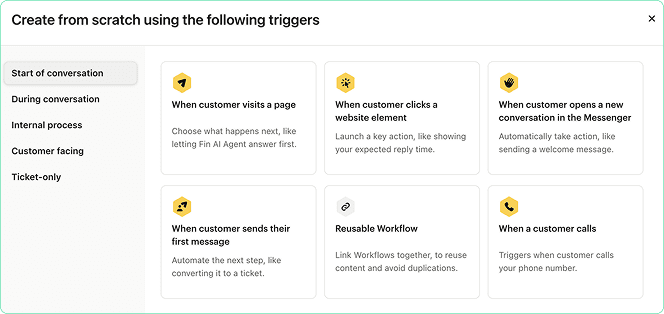
Step 1: Choose a Trigger
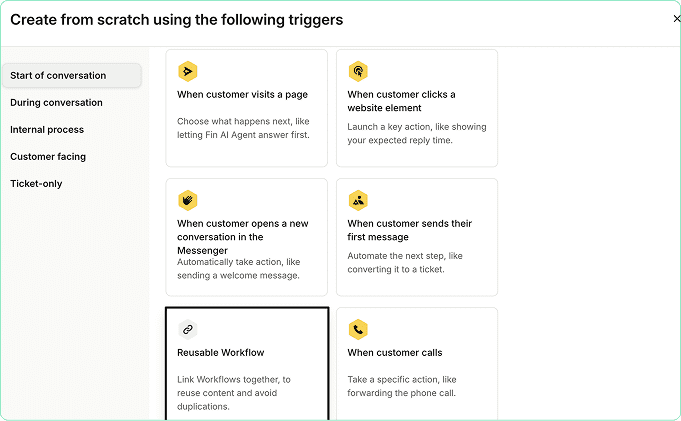
Decide when the Workflow should start, this could be when a visitor lands on a page, opens Messenger, sends a message, or is inactive for a period.
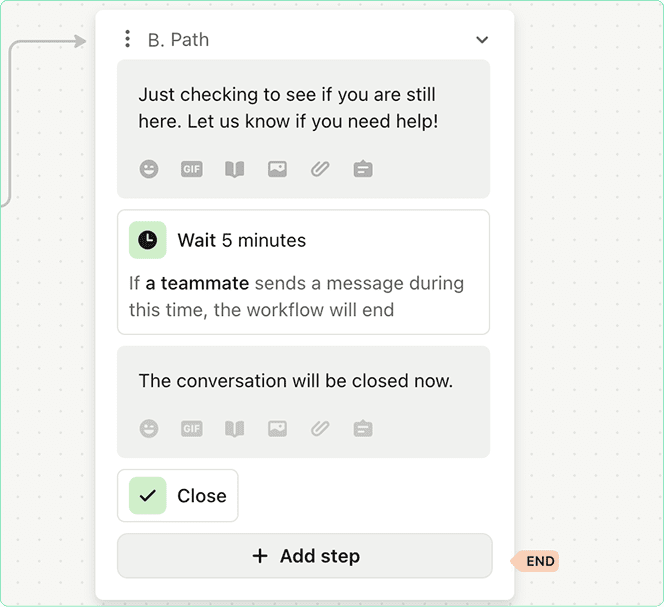
Step 2: Add a Message or Question
Introduce your bot message, Fin AI response, or a question with multiple choice replies. Make sure the message is friendly and relevant to the user’s intent.
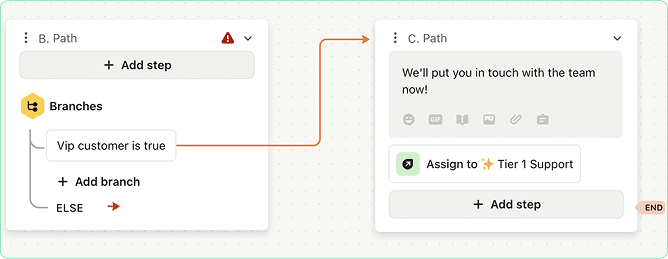
Step 3: Add Conditions or Branches
Use conditions to personalize the path. For instance, if a user selects “Talk to Sales,” route them differently than someone looking for support.
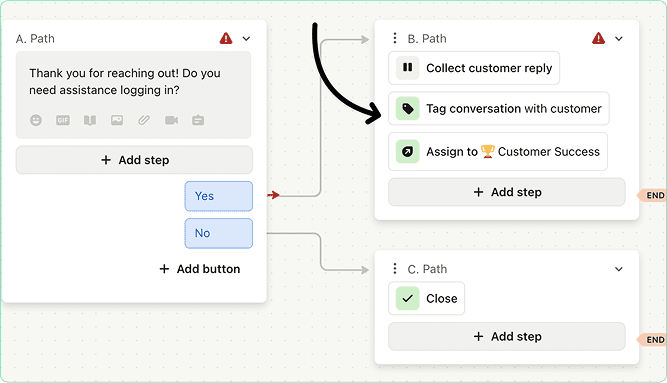
Step 4: Set Actions
Add background actions like tagging the user, assigning to an agent, creating a ticket, or sending an email follow-up.
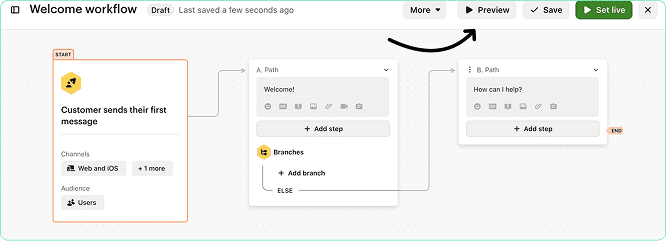
Step 5: Preview and Launch
Use Intercom’s built-in preview mode to test all paths. Once everything looks good, publish the Workflow and monitor performance.
How Dtech Systems Can Help You Set Up and Scale ClickUp
While connecting Outlook Calendar is a quick task for individuals, deploying it at scale across departments requires a structured approach. This is where Dtech Systems can help.
We are the only verified ClickUp partner in Saudi Arabia. Our consultants have deep expertise in:
- ClickUp onboarding and full workspace setup
- Custom calendar integration workflows for large teams
- Smart scheduling using ClickUp AI
- Task-to-calendar automation and conflict resolution
- Time management dashboards for leadership teams
- Onboarding and support for Microsoft 365 environments
If your organization wants to improve productivity, centralize planning, and reduce manual scheduling, we offer tailored solutions to make that happen efficiently.
Contact Dtech Systems to learn how we can design, deploy, and optimize your ClickUp environment.
Best Practices for Optimizing Workflows
Keep messages short and clear:
Avoid long blocks of text, make it feel like a conversation.
Use clear naming conventions:
Organize your Workflows with names like “Support – New Ticket Bot” or “Sales – Demo Request”.
Leverage reusable components:
If you frequently ask the same questions or use the same actions, turn them into reusable Workflow blocks.
Set goals and track outcomes:
Define what success looks like (e.g., demo booked, issue resolved) and monitor completion rates.
Avoid over-automation:
Not every task should be automated. Use human handoff where necessary to keep the experience personal.
Reusable Workflows
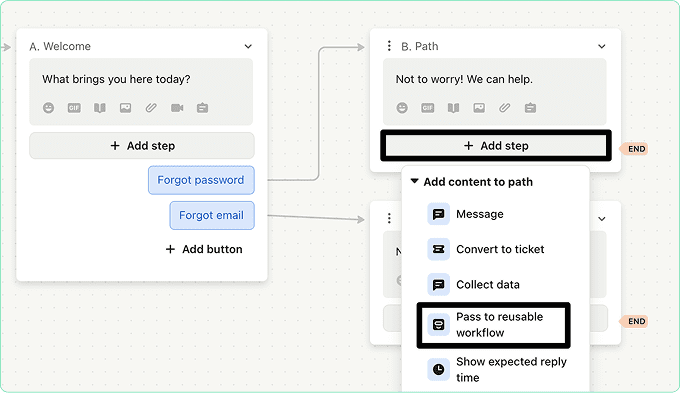
If you find yourself using the same logic or blocks in multiple Workflows, like booking a demo or sending a pricing message, you can turn that section into a Reusable Workflow. This saves time and ensures consistency across your automation.
You can connect one Workflow to another and manage updates from one place, making scaling much easier.
Workflow Reports
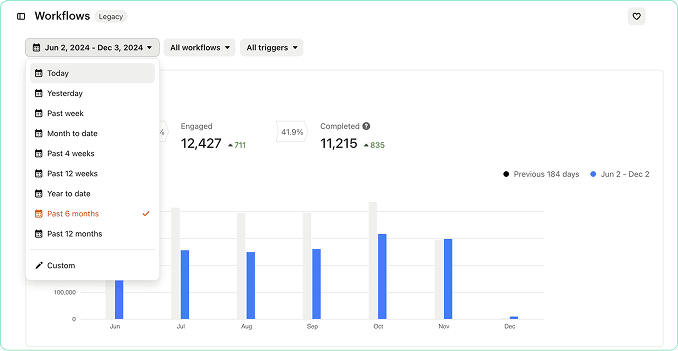
Intercom provides detailed reporting on Workflow performance.
You can track:
- Completion rates
- Drop-off points
- Goal conversion
- Message engagement
These insights help you optimize your flows, test what works, and make data-driven improvements to increase conversions.
Multilingual Workflows
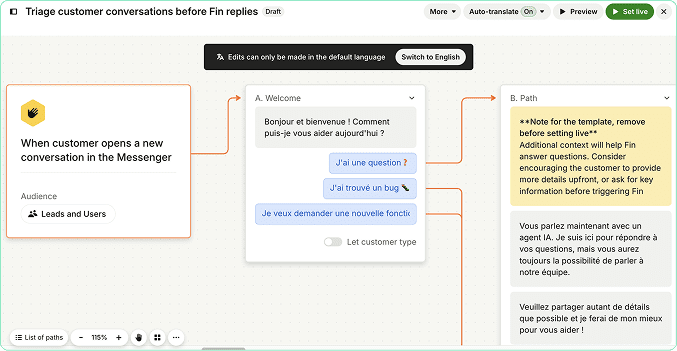
If your audience spans multiple regions, you can create multilingual Workflows that automatically show the right language based on the user’s settings or browser preferences.
This ensures a seamless experience for all users whether they speak English, Arabic, French, or any other language.
Add Videos to Workflows
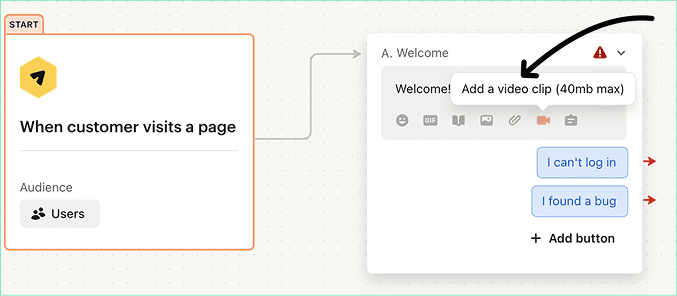
To make your Workflows more engaging, you can embed short videos directly into messages. Use this to:
- Explain complex features
- Walk through onboarding steps
- Add a personal touch with a recorded intro
Videos help increase engagement and improve comprehension especially during onboarding or support flows.
Wrap-Up: Smarter Conversations, Better Results
Workflows are more than just automation, they’re how you scale customer conversations without compromising experience. Whether you’re qualifying leads, answering questions, or guiding users to the right resources, Intercom Workflows help you do it faster and better.
If you’re ready to turn support into conversions, now’s the time to start designing your first Workflow.
Need expert help setting it up?