Improving IT project management
for a national airline.
A leading national airline needed to bring 20 specialized IT teams onto a single operating system. Here is how we did it, and what changed.
Overview
A leading national airline wanted to improve the way its IT and PMO teams managed projects. As the organization grew, it expanded to 20 specialized IT departments, each with 7 to 8 team members. Managing projects through manual processes and disconnected tools became difficult, creating a need for a centralized platform that could improve collaboration, visibility, and overall efficiency.
| Industry | Aviation |
| Departments | IT & PMO |
| Team Size | 20 teams x 7-8 members (140-160 people) |
| Project Duration | Approximately 10-11 months |
| Platform Adopted | ClickUp |
| Budget Outcome | Delivered within budget |
The Challenge
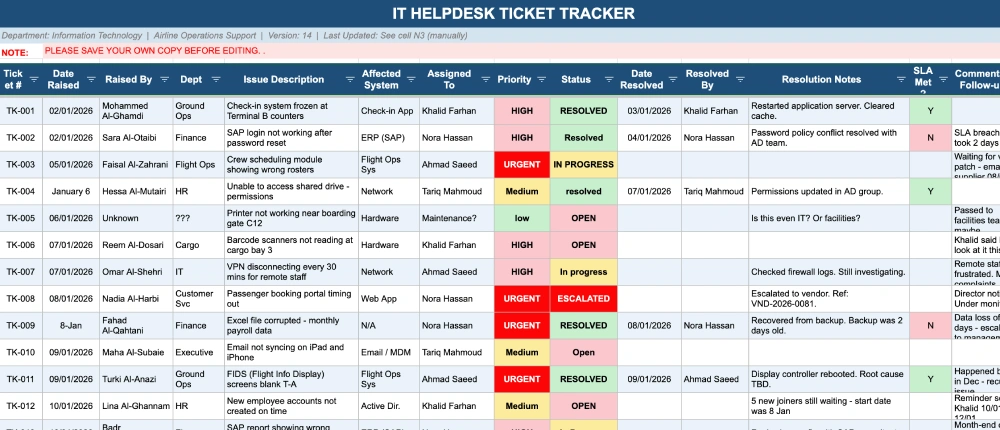
Before ClickUp, the IT and PMO departments relied heavily on manual processes that made collaboration and project tracking difficult. Some of the key challenges included:
- Excel was being used as the primary project management tool.
- Teams often worked on different versions of the same files, leading to confusion and inconsistent data.
- Project updates and communication were managed through email.
- Task assignments, status updates, and reporting were handled manually.
- Leadership had limited visibility into project progress, team workload, and potential bottlenecks.
- Collaboration between teams was slow and difficult due to disconnected tools and processes.
As the organization continued to grow, these challenges became harder to manage and started impacting productivity across departments.
The Solution
After evaluating different project management platforms, the organization selected ClickUp as its central work management solution. The platform’s flexibility and scalable structure made it a strong fit for managing multiple teams, projects, and workflows within a single workspace.
Workspace Structure
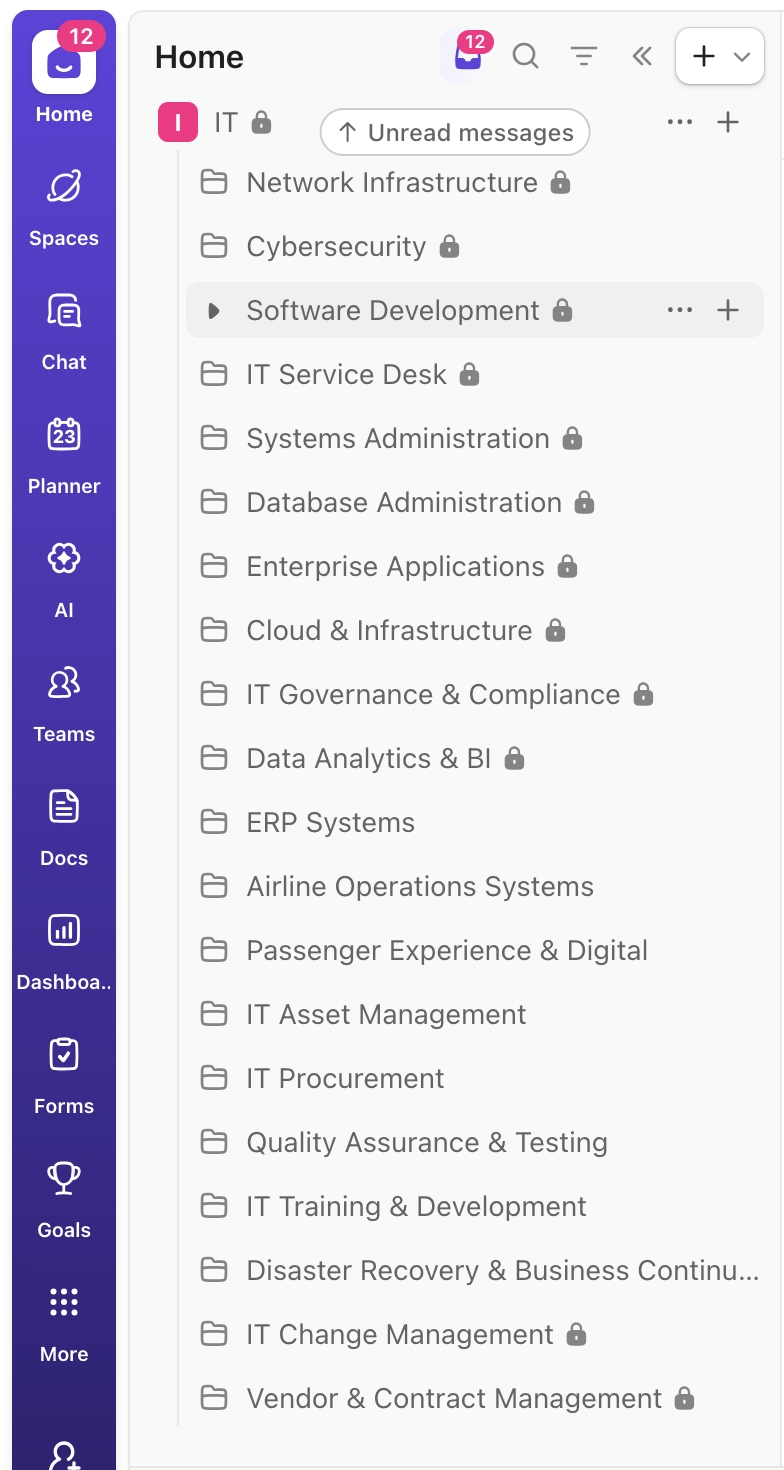
The ClickUp workspace was designed to mirror the organization’s structure.
Spaces: Separate Spaces were created for major departments, including IT and PMO.
Folders: Each of the 20 IT teams was given its own Folder to manage projects and responsibilities independently.
Lists: Lists were created inside each Folder to organize tasks, workflows, projects, and operational activities.
Features Implemented
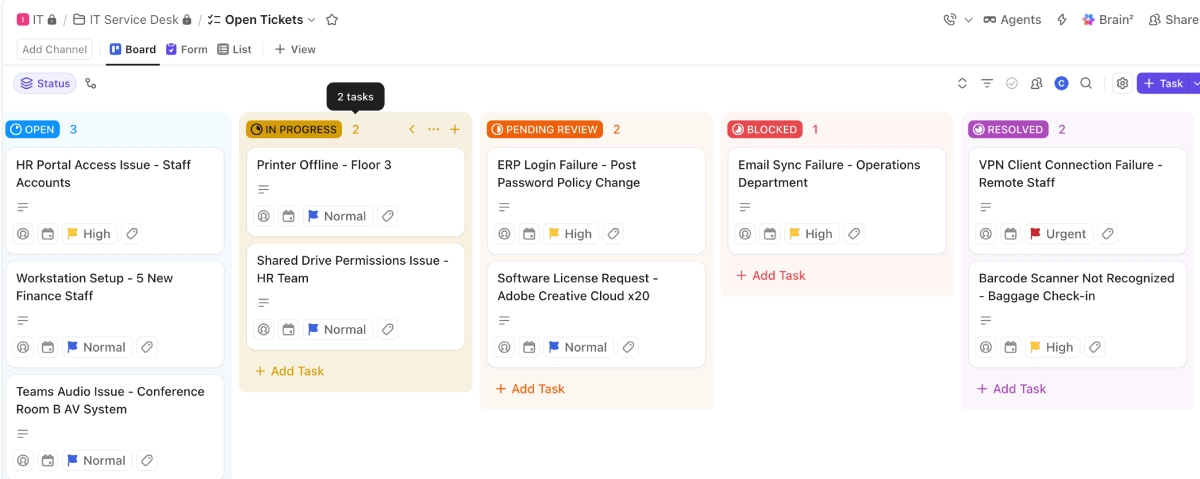
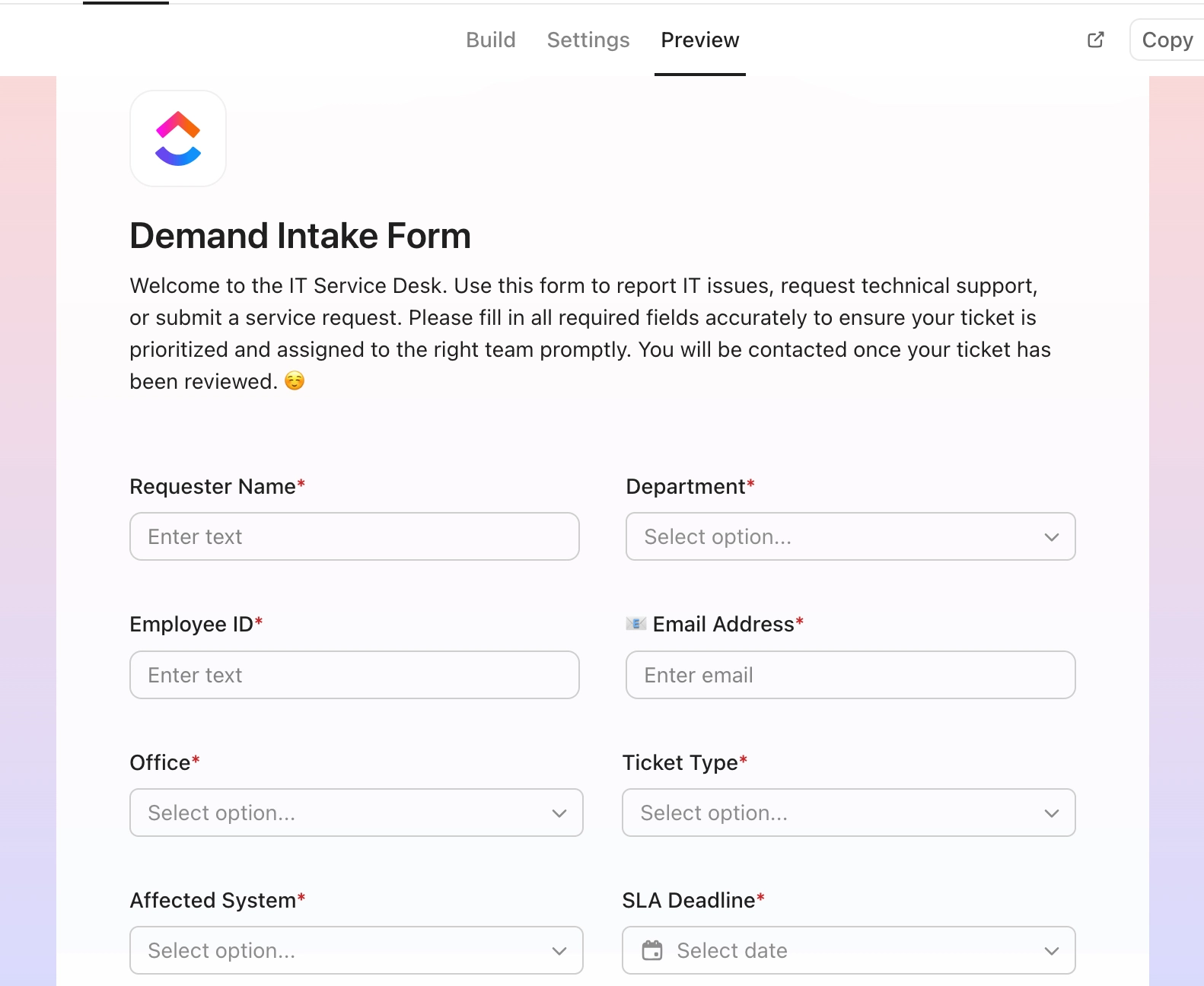
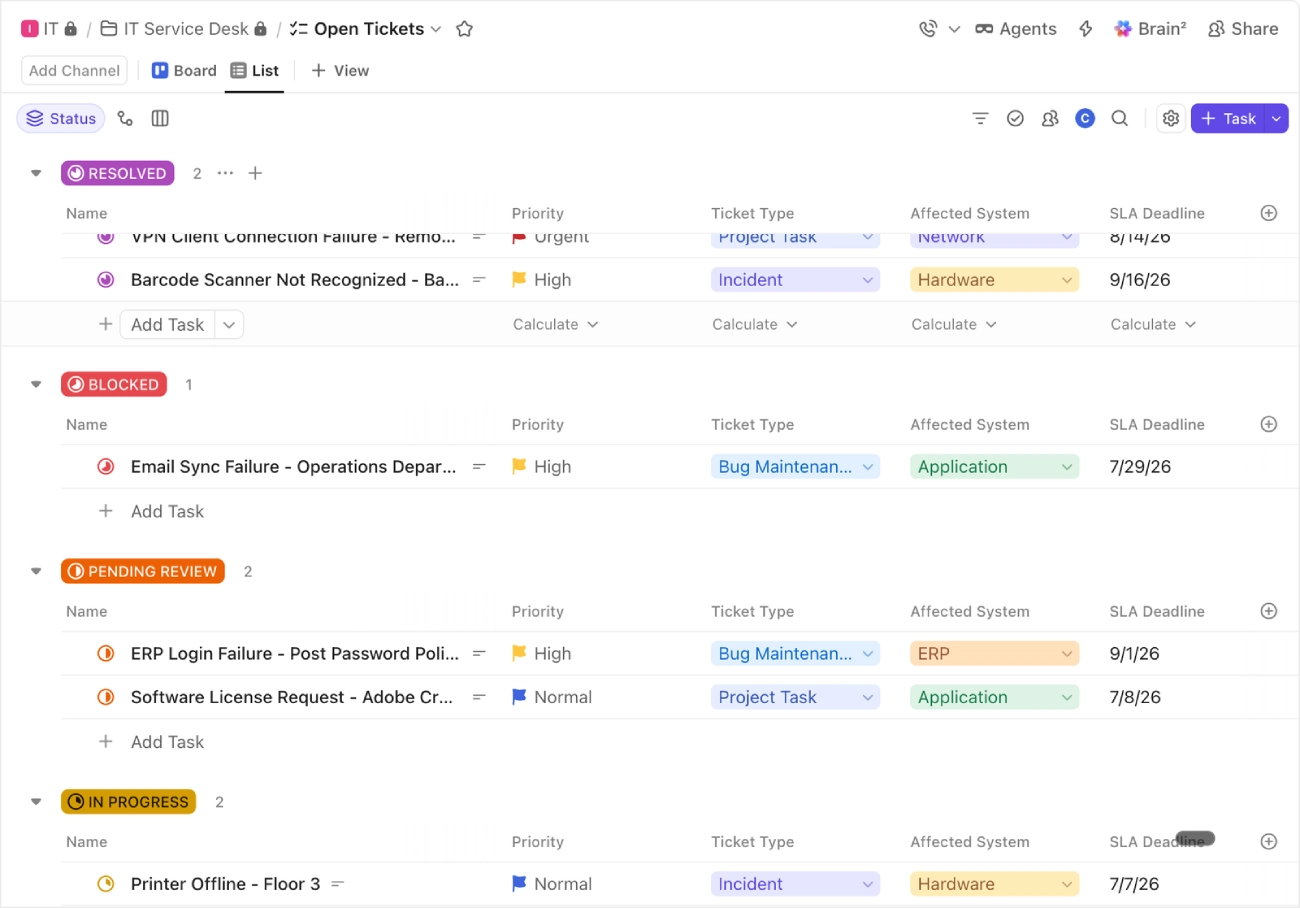
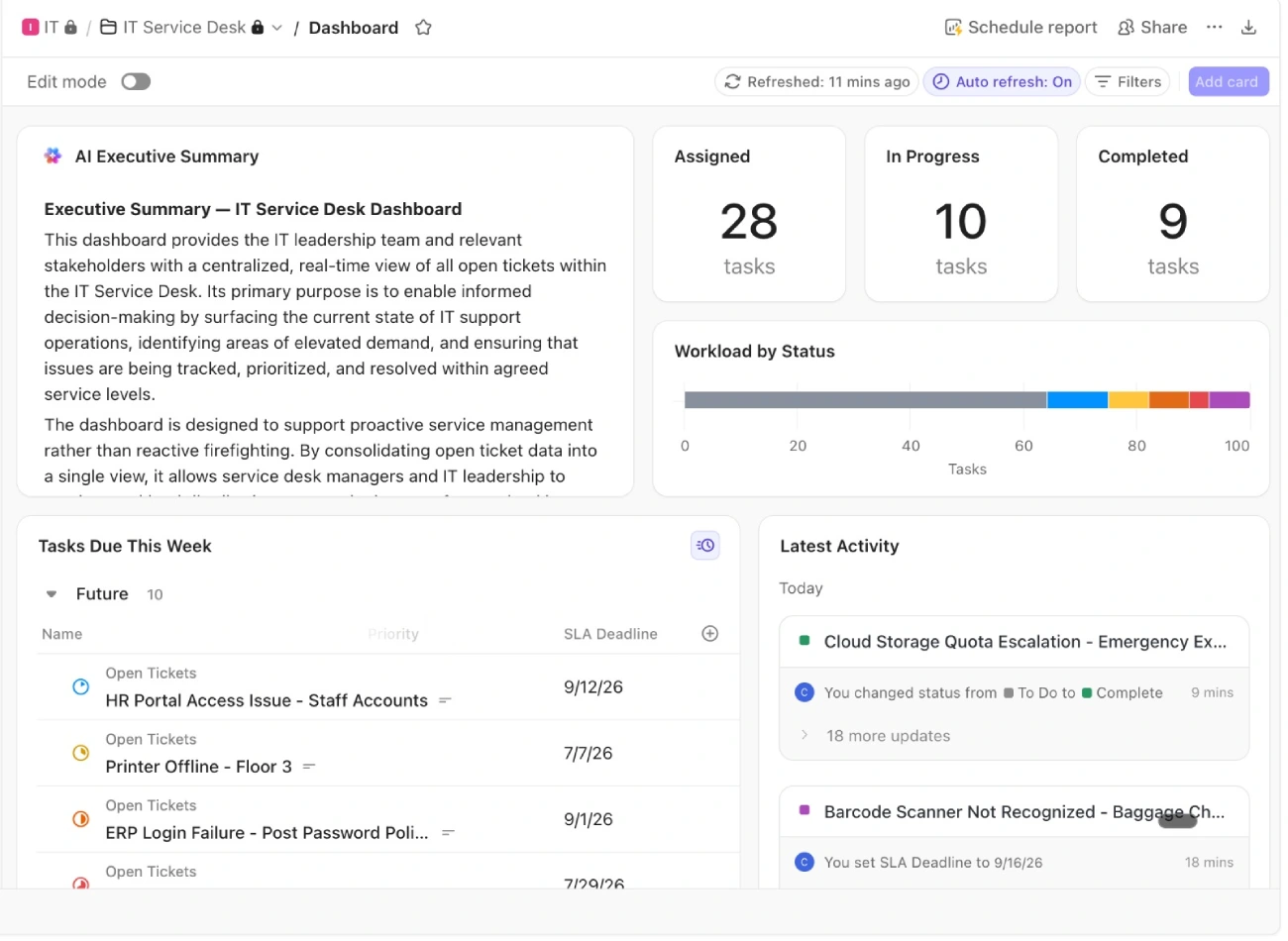
The implementation made use of most of ClickUp’s core capabilities to create a centralized and efficient project management system. Features such as task management, custom statuses, Intake Forms, custom fields, dashboards, automations, workload management, and multiple project views were configured to support the organization’s workflows. The platform was configured to support both day-to-day operations and long-term project management requirements.
Why ClickUp Was the Right Choice
The organization needed a system capable of handling a complex structure involving multiple teams, projects, and reporting requirements. ClickUp’s hierarchy of Spaces, Folders, Lists, and Tasks aligned perfectly with the way the departments operated.
The platform provided:
- A centralized workspace
- Flexible workflow management
- Real-time reporting
- Strong collaboration capabilities
- Scalability for future growth
Most importantly, ClickUp brought all teams, projects, and communication into one place, improving collaboration, visibility, and project tracking across the organization. It also met the organization’s budget requirements, making it a practical and cost-effective solution for their growing needs.
Implementation Challenges
The biggest challenge was not the technology, it was change management. Teams were already comfortable with their existing tools and processes, so moving to a centralized platform required careful planning, regular training, and ongoing support throughout the implementation.
Key challenges included:
- User resistance to change
- Training a large number of employees
- Standardizing processes across 20 different teams
- Ensuring consistent adoption of the new platform
- Supporting users during the transition period
Extensive onboarding sessions, training workshops, and ongoing support were provided to help teams successfully adopt ClickUp.
Results
The implementation was successfully delivered on time and within budget. The organization experienced significant improvements across both the IT and PMO departments.
Up to 50% Faster Turnaround Time: By reducing manual work and centralizing project management, teams were able to complete work significantly faster.
Improved Team Collaboration: All communication, updates, files, and project information were consolidated into one platform.
Better Visibility for Leadership: Management gained real-time access to project status, team performance, and workload data through ClickUp Dashboards.
Reduced Manual Processes: Many of the manual activities previously managed through spreadsheets and email were streamlined using ClickUp workflows and automations.
Elimination of File Version Issues: Teams no longer needed to manage multiple spreadsheet versions or exchange project updates through email attachments.
Centralized Project Management: All projects, tasks, documentation, and reporting were managed within a single system, creating a reliable source of truth across departments.
Successful Delivery: All project requirements were completed successfully, and the implementation stayed within the approved budget and timeline.
Key Results at a Glance
- 140-160 employees onboarded
- 20 IT teams centralized in one platform
- Up to 50% faster turnaround time
- Improved collaboration across departments
- Real-time reporting and visibility for leadership
- Delivered on time and within budget
Lessons Learned
1. Communicate Resource Usage Early
As project requirements evolve, it is important to keep stakeholders informed about resource consumption and timeline impacts. Early communication helps manage expectations and avoid surprises later in the project.
2. Test Everything Before Go-Live
Workflows, automations, permissions, and reporting should be thoroughly tested before launch. Identifying issues early helps ensure a smoother rollout and improves user confidence in the new system.
3. Focus on Change Management
Technology adoption is not just about software. Training, communication, and user engagement play a critical role in the success of any transformation project.
Conclusion
This project demonstrates how a large and complex organization can successfully modernize its project management processes using ClickUp. By replacing spreadsheets, email-based communication, and manual reporting with a centralized platform, the organization improved visibility, collaboration, and operational efficiency across more than 20 teams.
The result was a more connected, transparent, and productive way of working, allowing teams to focus less on administration and more on delivering results.
The organization needed a platform that could support its complexity while remaining easy to manage. ClickUp provided the flexibility, visibility, and scalability required to make that transformation successful.
Ready to fix how you run?
30 minutes. We’ll find your biggest operational bottleneck and tell you exactly what we’d build to fix it. No commitment.