ClickUp Is More Than Project Management: Exploring Its Wider Business Applications

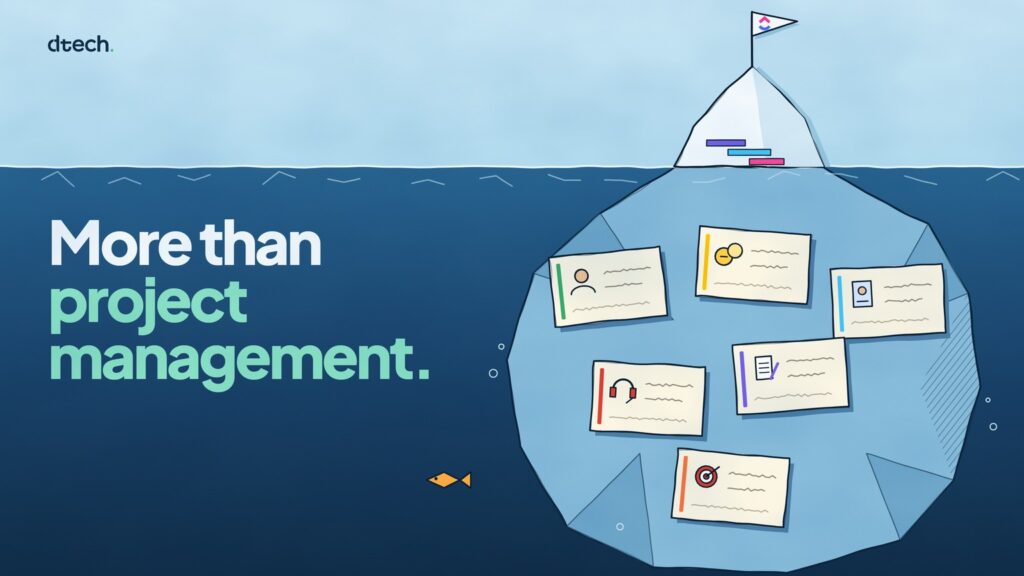
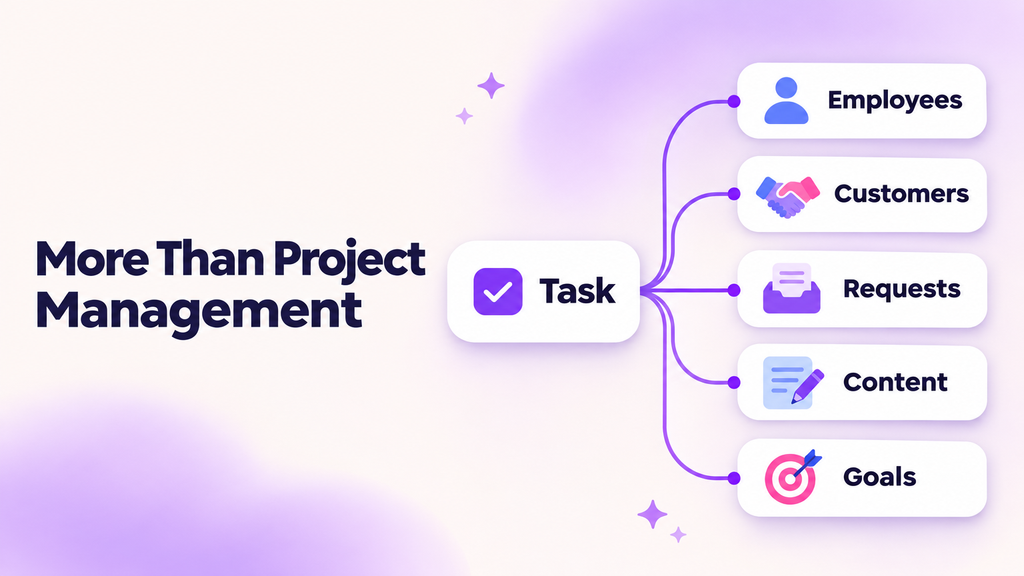
When businesses think of ClickUp, they often picture project timelines, task assignments, and deadlines. Those are important uses, but they only tell part of the story.
Not everything a business manages is a project. Employee records, customer relationships, service requests, and performance reviews are ongoing processes. They need structure, ownership, and visibility, even when there is no project start or finish date.
ClickUp’s building blocks can support these processes too. The difference lies in how they are configured.
A task can represent an employee profile rather than an action item. A status can describe a customer’s stage rather than whether work is complete. Custom Fields can capture the information that makes each record useful.
To see what this looks like in practice, let’s start with employee management.
Rethinking What a Task Represents
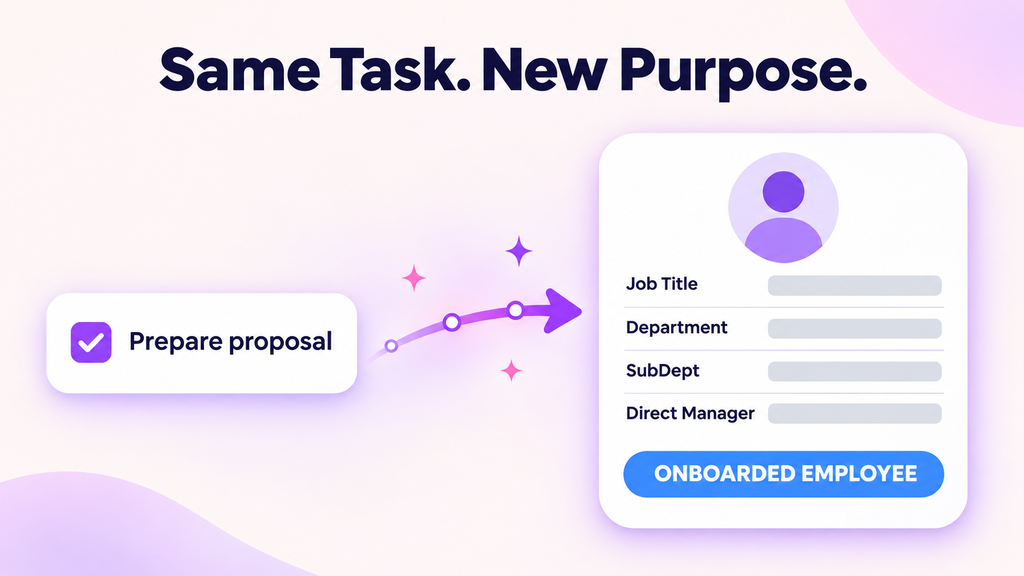
The word “task” usually suggests something to do: prepare a proposal, review a document, or finish a design.
In ClickUp, that same structure can also hold a business record.
For example, an employee record might contain a person’s name, email address, job title, department, subdepartment, and direct manager. Instead of tracking completion, its status can represent the employee’s lifecycle within the organization.
The underlying building blocks stay the same. Their purpose changes.
This shift opens the door to using ClickUp not only to manage work, but also to organize the people, information, and processes around that work.
A Practical Example: Employee Directories and Performance Evaluations
Employee information and performance reviews are often spread across separate places. A directory holds basic details, a spreadsheet contains KPI scores, and review notes sit in documents or email threads.
Our demonstration explores how these elements can be organized within a ClickUp workspace.
Using Records as Employee Profiles
The employee directory uses individual records to hold employee information through Custom Fields.
These records are not tasks waiting to be completed. They are profiles that provide a consistent place to find relevant details.
In the demonstrated setup, statuses distinguish onboarded employees from former employees. This shows how a familiar project-management feature can describe a business lifecycle instead.
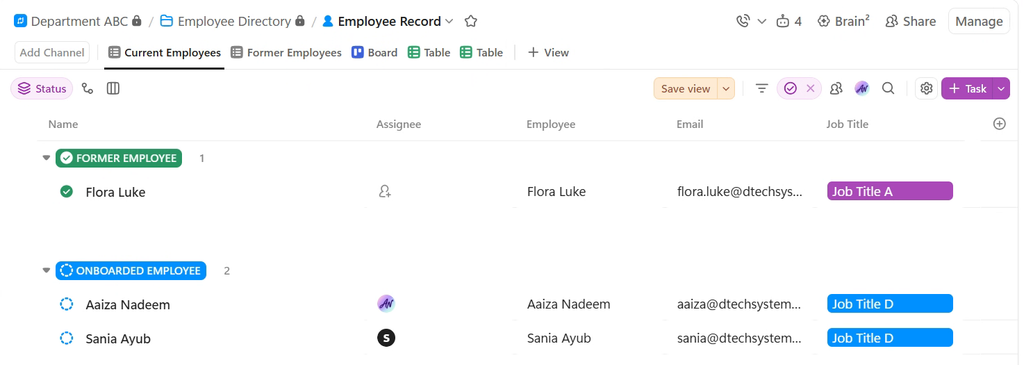
The Employee Record List groups profiles by lifecycle status, with Custom Fields such as Email and Job Title on each record.
Structuring Reviews Around Individual KPIs
The performance evaluation framework organizes reviews by subdepartment, with individual KPIs represented as subtasks beneath an employee’s evaluation record.
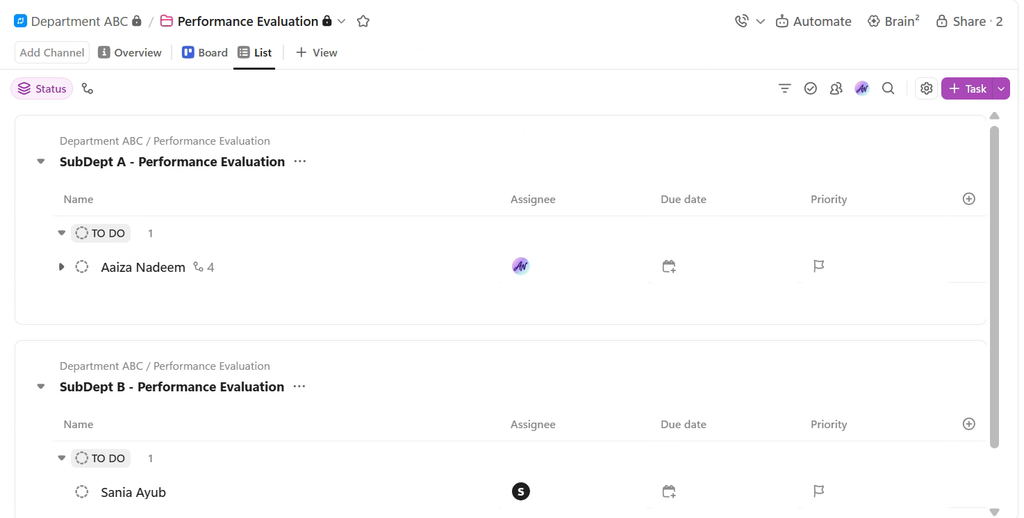
Each subdepartment has its own evaluation List inside the Performance Evaluation Folder.
Each KPI includes an achievement score and an assigned weight. In the example, four KPIs carry weights of:
- KPI 1: 50%
- KPI 2: 20%
- KPI 3: 20%
- KPI 4: 10%
Together, the weights total 100%.
A Formula Field calculates each KPI’s weighted contribution. For instance, an achievement score of 80 against a 50% weight produces a contribution of 40.
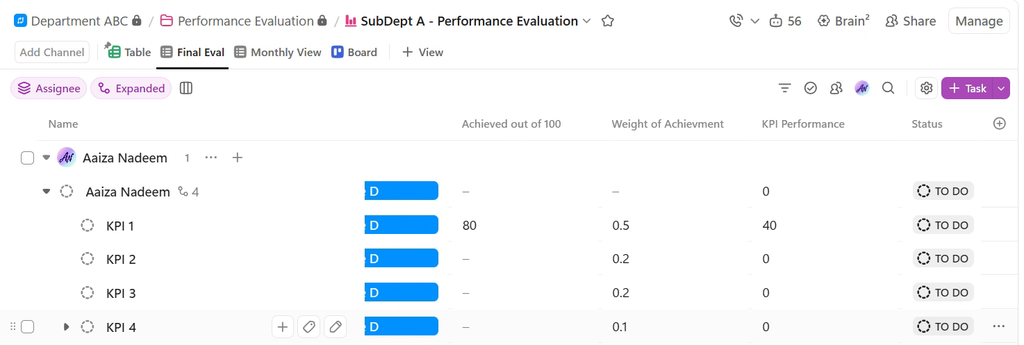
KPI 1 scores 80 against a 0.5 weight, and the Formula Field returns a KPI Performance of 40.
This makes the scoring structure visible rather than presenting a final rating without explanation. Reviewers can examine the individual measures, discuss strengths and gaps, and keep supporting notes alongside each KPI.
The framework supports a more structured review conversation. It does not replace the judgment needed to define fair criteria or assess performance.
Beyond HR: Other Business Applications
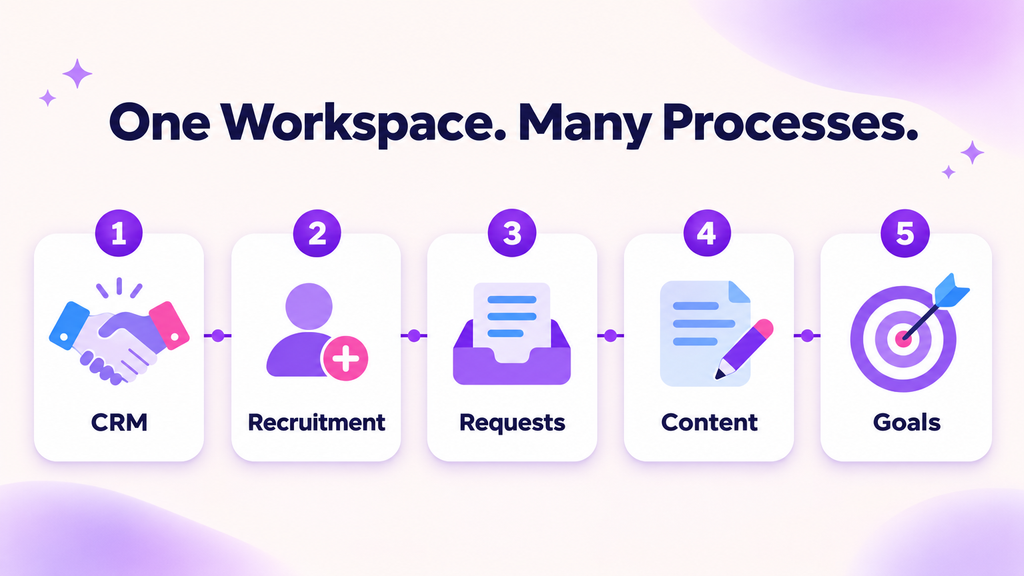
The HR example illustrates a broader principle: when a process involves records, stages, owners, and supporting information, ClickUp may be able to provide a useful structure.
Here are several ways that principle can extend across a business.
1. Customer Relationship Management
Sales teams can configure ClickUp to organize leads, contacts, accounts, and deals.
A record might represent a potential customer or a sales opportunity. Custom Fields can capture relevant details, while statuses reflect stages such as qualification, proposal, and negotiation.
Relationships can connect contacts to accounts and accounts to deals. Different views let the team inspect detailed records or see opportunities arranged across a pipeline.
The purpose is not simply to create sales tasks. It is to keep customer information and the work surrounding each relationship connected.
2. Recruitment and Onboarding
Recruitment is another process built around records moving through stages.
A candidate record can hold application information, interview feedback, and next steps. Statuses can reflect the hiring process, helping recruiters see where each application stands.
Once a candidate joins, onboarding becomes a repeatable workflow covering activities such as access setup, policy review, introductions, and training.
These are related processes, but they serve different purposes: one supports a hiring decision, while the other helps a new employee get started.
3. Internal Requests and Customer Support
Requests often arrive through scattered messages, making it difficult to know who owns them or whether they have been resolved.
ClickUp Forms can capture submissions as tasks, creating a structured starting point for customer inquiries, IT requests, or internal service needs.
A request record can hold its category, urgency, owner, and relevant details. Statuses show its progress, while comments keep clarification and updates attached to the request.
Configured Automations can support routine routing or handoffs. The benefit is clearer accountability, not just another place to collect requests.
4. Marketing and Content Operations
Marketing involves more than a list of publishing deadlines. Teams also manage briefs, creative assets, reviews, channels, and campaign context.
ClickUp can organize content records with fields for content type, channel, owner, and publishing information. Calendar and Board views provide different ways to inspect the same work.
A blog post, for example, can keep its brief, draft, feedback, and approval discussion together rather than spreading them across disconnected tools.
5. Business Goals and Operational Reporting
ClickUp can also help teams organize objectives and measurable results alongside the work intended to support them.
A goal record can capture its owner, target, current value, and progress status. Relationships can connect it to relevant activities, while Dashboards provide a reporting layer over the underlying information.
The important distinction is that completing work does not always mean achieving an outcome. Publishing content is an activity; generating qualified inquiries is a result. A useful setup makes both visible without confusing them.
Start With the Process, Not the Features
ClickUp’s flexibility is useful only when the structure matches the business process.
Before building a setup, ask:
- What does each record represent?
- Which information needs to be captured consistently?
- What do the stages or statuses mean?
- Who maintains the information?
- Who should be able to access it?
- What decisions should the reporting support?
These questions matter more than adding every available field or Automation.
Sensitive employee and customer information also needs appropriate access controls and data-handling rules. Feature availability and limits should be checked against the organization’s plan and requirements.
ClickUp does not need to replace every specialist system. The aim is to identify where a configurable workspace can reduce fragmented information and make a process easier to manage.
A Broader Way to Think About ClickUp
The employee evaluation example is not a traditional project plan. It is a business framework built using familiar ClickUp components.
That is the wider opportunity.
Tasks can represent records. Subtasks can structure evaluation criteria or repeatable steps. Custom Fields can capture business-specific information. Views can present that information in ways different teams can use.
The question is not only, “Which projects can we manage in ClickUp?”
It is also, “Which business processes would benefit from clearer structure, connected information, and visible ownership?”
Looking beyond project management? Talk to Dtech about configuring ClickUp around the way your business operates.


