ClickUp is good for freelancers. ClickUp for freelancers works well because it combines task management, time tracking, invoicing-ready reports, and client-facing dashboards inside one free-to-start platform — replacing 3–4 separate tools (a to-do app, a time tracker, a doc editor, and a client portal) for around $7–12/month per user on the Unlimited plan. It’s the strongest fit for freelancers juggling more than 3 clients at once; solo freelancers with only one or two simple projects may find it more powerful than they need.
What Makes ClickUp Good for Freelancers
ClickUp for freelancers earns its reputation because it’s built to flex around messy, multi-client workloads rather than forcing a single rigid workflow. Here’s what freelancers use most.
Task and Project Management
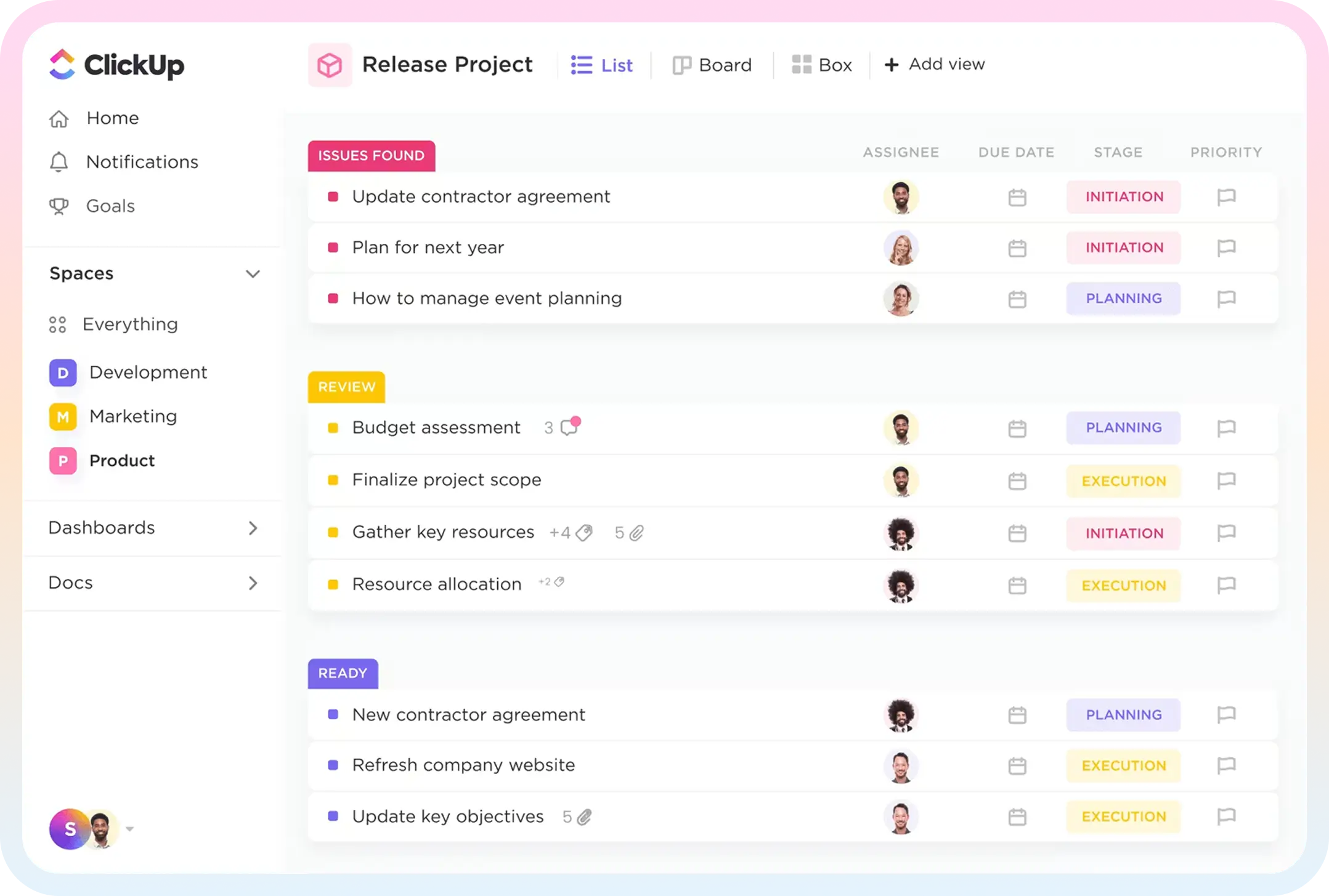
Every client can get their own Space or Folder, with Lists for individual projects and custom statuses (e.g., “Awaiting Feedback,” “In Revision,” “Delivered”). This keeps overlapping deadlines visible in one calendar or Gantt view instead of scattered across sticky notes and separate apps.
Time Tracking and Invoicing
Built-in time tracking lets freelancers log billable hours per task, per client, or per project, then export timesheets for invoicing. This is one of the biggest reasons ClickUp for freelancers beats plain to-do apps — you don’t need a separate tool like Toggl bolted on just to bill accurately.
Client Collaboration Without Extra Logins
Guest access and shareable Dashboards mean clients can check project status, leave comments, or approve deliverables without needing a paid seat. For freelancers who get the “any update?” email too often, this alone justifies the switch.
ClickUp for Freelancers vs. Other Tools
Compared to Trello, ClickUp for freelancers offers native time tracking, docs, and goals instead of relying on power-ups. Compared to Notion, it has stronger native task automation and reporting, though Notion still wins on freeform note-taking. Compared to Asana, ClickUp is generally cheaper at the freelancer tier and includes more built-in features (time tracking, whiteboards, docs) without needing paid add-ons. The trade-off is a steeper learning curve — ClickUp has more settings to configure than any of these three.
Pricing: What ClickUp for Freelancers Actually Costs
- Free Forever plan — Unlimited tasks and members, 100MB storage. Workable for a freelancer with 1–2 small clients.
- Unlimited plan (~$7/user/month billed annually) — Unlimited storage, unlimited integrations, and Gantt charts. This is the tier most freelancers land on once client count grows.
- Business plan (~$12/user/month billed annually) — Adds advanced automations, timesheets, and custom reporting, useful once you’re subcontracting or running a two-to-three-person freelance team.
Because pricing is per user, a solo freelancer can realistically run an entire client roster on the Free or Unlimited plan for well under $10/month.
Scaling Beyond Solo Work: How Dtech Helps ClickUp for Freelancers Users Grow
The moment a freelance practice starts subcontracting, hiring a VA, or turning into a small studio, a workspace that was thrown together for one person stops holding up. That’s exactly the gap Dtech Systems is built to close.
Dtech helps teams design, automate, and optimize ClickUp workspaces, workflows, and reporting so they can move faster with clarity. As a ClickUp Diamond Partner, Dtech runs every engagement through the same proven sequence: business consulting to understand how the work actually runs, full implementation of the hierarchy, automations, integrations, and dashboards, AI applied with real business context, and hands-on adoption coaching until the new setup becomes second nature. For a growing freelance operation, that translates into:
- A workspace built around how you actually work, not a generic template. Dtech starts by understanding the business first, then shapes the build around that diagnosis—so ClickUp fits your process instead of the other way around.
- A senior team that stays with your account. Where buying ClickUp direct means a subscription and a blank workspace you’re left to configure yourself with generic templates, partnering with Dtech gets you a working system built around your real processes, delivered by a named team that knows your account.
- The right structure at exactly the stage you’re at. Dtech’s “startups and growing businesses” track is built to get a freelance operation’s workspace set up right from day one, so growth happens on structure instead of chaos—ideal for the moment you bring on your first collaborator or subcontractor.
- Local billing and bilingual delivery (KSA and UK, English or Arabic), plus adoption hours included upfront — Dtech is measured on whether your team actually adopts ClickUp, not just on the license sale.
For freelancers ready to run their client work like a real operation rather than a patchwork of tools, Dtech’s ClickUp implementation and adoption support is the fastest way to get there properly the first time.
FAQs
Everything you need to know about ClickUp for freelancers.
Is ClickUp really free for freelancers?
Yes. The Free Forever plan supports unlimited tasks and users with 100MB of storage, which is enough for a freelancer managing a handful of clients. Most freelancers only upgrade to the Unlimited plan (~$7/user/month) once they need more storage or advanced views like Gantt charts.
Can clients use ClickUp without paying for a seat?
Yes. ClickUp's Guest access lets clients view specific Lists, leave comments, and approve deliverables without a paid license, which is one reason ClickUp for freelancers is popular for client-facing work.
Is ClickUp better than Trello for freelancers?
For most freelancers managing multiple clients, ClickUp for freelancers offers more built-in functionality — native time tracking, docs, and reporting — where Trello would require add-on power-ups to match the same features. Trello can still be faster to learn for freelancers who only need a simple visual board.