Choosing a Project Management Tool for Your Startup
Evaluate ClickUp against your startup's workflow, access needs, costs and adoption effort, with proposed Saudi and UK pilots from Dtech Systems.
Reviewed by Dtech Systems on 9 October 2026. Feature access, usage and billing depend on your ClickUp plan and configuration.
A startup needs a project management tool that makes ownership, priorities and handovers clear. ClickUp is one option to evaluate when tasks and operating instructions need a shared home. The right choice depends on your workflow, access requirements, budget and the effort your team can sustain.
Start with the workflow you need to improve
Choose a recurring problem: customer onboarding, product delivery or campaign approval. Write down where requests arrive, who accepts them, what information is required and what proves the work is complete. Use this process to compare tools through a representative trial.
- Ownership: can a team member identify the next action, responsible person and due date?
- Handover: can someone continue the work without searching across messages?
- Access: can employees, contractors and clients see only the agreed information?
- Reporting: can the team explain late work, blocked work and completed outcomes?
- Cost: does the offer cover the required users, features, integrations and usage?
Which ClickUp features are relevant to a startup?
ClickUp’s startup product page describes tasks, roadmaps, collaboration and reporting. Start with the capabilities your chosen workflow needs, then check availability in the current plan comparison.
- Tasks and views: organise assigned work and review it in List, Board, Calendar or Gantt views.
- Statuses and Custom Fields: distinguish the workflow stage from facts such as region, client or priority.
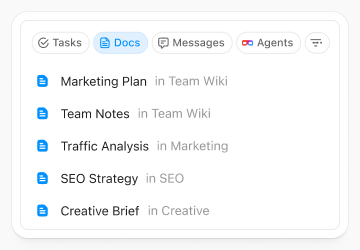
- Docs and collaboration: connect operating instructions and decisions to the work they support.
- Dependencies: make a handover or prerequisite visible before another task can proceed.
- Automations: use defined triggers and actions for repeatable routing or status changes. Check execution limits and exception handling.
- Dashboards: display selected task and delivery measures; check the underlying records before using a report.
- Integrations: assess supported connections against the tools and permissions you already use.
For more detail, review ClickUp’s automation features and dashboard features, or browse Dtech’s ClickUp feature guide. A feature list does not establish whether your specific process will work.
Four proposed workflows for Saudi Arabia and the UK
These examples are suggested configurations for a pilot. They are not delivered client projects or measured Dtech customer results.
Saudi Arabia: customer onboarding in Riyadh
Use one onboarding List with an owner, target date, service type and client reference. Separate internal preparation from customer approval. Link the current onboarding instructions, record missing information and assign the next handover. A bilingual reviewer can check Arabic and English customer-facing instructions before they are used. Measure incomplete requests and time spent clarifying ownership.
Saudi Arabia: campaign approvals in Jeddah
Track each deliverable through briefing, drafting, internal review, client approval and release. Record the approved version and the person who accepted it. Keep publication with an authorised team member. Test whether reviewers can locate the latest brief and whether an overdue approval reaches the campaign owner. Measure approval delays and revision cycles against the same type of work.
United Kingdom: product delivery in London
Connect a release milestone to the backlog, assigned tasks and acceptance checks. Separate development complete from tested and accepted. Link the release instructions and record blockers with their next owner. Trial one release before expanding to every product. Compare missed handovers, reopened work and the time needed to prepare a reliable status update.
United Kingdom: service-team handovers
Create a repeatable handover containing the agreed scope, work completed, open items, next owner and relevant source links. Decide which details can be shared with a client or contractor. Ask a receiving colleague to continue a sample job using the record alone. Track missing information, clarification requests and follow-up time.
Teams can explore additional configurations in Dtech’s Saudi ClickUp use cases. Language, data residency and legal requirements need a separate assessment for the actual deployment.
Check access and AI before adding more automation
Test employee and guest roles with sample records. ClickUp documents privacy and sharing controls; confirm that the required options are available on your plan.
If you trial AI, choose one bounded task, such as drafting a weekly update from non-sensitive sample work. Check the result against the source and record omissions and review time. ClickUp’s Super Agent permission guidance explains that an agent can use private or external knowledge in a reply to someone permitted to trigger it, even when that person cannot open the source. Review knowledge, audience and response location before sharing an agent.
Dtech’s AI-ready workspace guide provides preparation steps. Keep approval of customer communications and consequential changes with the workflow owner.
Compare the full cost of the proposed setup
Ask for the exact package, billing cycle, user roles, AI allowance, integration needs and renewal terms. Include migration, configuration, training and ongoing administration in your first-year budget. Record which existing subscriptions could be retired only after the pilot demonstrates equivalent required functionality.
ClickUp advertises a startup credit programme, subject to eligibility. Check the current programme and receive approval before counting a credit in your budget. Dtech’s five ClickUp purchase questions can help structure the discussion.
Run a pilot before migrating the whole team
- Agree the scope: choose one workflow, its owner, a representative sample and success measures.
- Configure the minimum: define statuses, required information, access and handover rules.
- Check difficult cases: include missing details, overdue work, a restricted record and an automation exception.
- Train the users: practise accepting work, updating status, finding instructions and escalating a blocker.
- Review the evidence: compare errors, administration time and handover quality with the previous process, then decide what to change or expand.
Keep the original records and agree recovery steps before making production changes. Migration is a separate decision; Dtech’s Jira-to-ClickUp planning guide outlines mapping and acceptance checks.
How Dtech Systems can help
Dtech Systems is listed as a Diamond partner in ClickUp’s partner directory. Discuss an agreed scope for workflow design, ClickUp configuration, migration planning and team adoption for Saudi Arabia or the UK.
Book a free workspace audit to review the process you want to improve, the people who use it and the requirements a pilot should test.
Frequently Asked Questions (FAQs)
Does ClickUp Integrate With the Tools Startups Already Use?
ClickUp offers integrations, but compatibility depends on the specific application, account and required action. Check the current integration documentation, access permissions and plan limits. Test the actual handover, including an error case, before replacing an existing connection.
Is ClickUp too complicated for a small team or non-technical founder?
A small team can start with one workflow, a few clear statuses and named owners. Setup still requires decisions and practice. Trial the process with the people who will use it, record confusing steps and simplify the configuration before expanding. Dtech can help scope configuration and adoption support.
Does ClickUp Offer Useful Reporting for Startups?
ClickUp Dashboards can present selected delivery and task measures. Their usefulness depends on maintained records, clear definitions and available cards on your plan. Verify the underlying sample data and explain exclusions before relying on a report for management or investor updates.
ClickUp offers integrations, but compatibility depends on the specific application, account and required action. Check the current integration documentation, access permissions and plan limits. Test the actual handover, including an error case, before replacing an existing connection.
A small team can start with one workflow, a few clear statuses and named owners. Setup still requires decisions and practice. Trial the process with the people who will use it, record confusing steps and simplify the configuration before expanding. Dtech can help scope configuration and adoption support.
ClickUp Dashboards can present selected delivery and task measures. Their usefulness depends on maintained records, clear definitions and available cards on your plan. Verify the underlying sample data and explain exclusions before relying on a report for management or investor updates.


