Most ClickUp rollouts don’t stall because of the tool. They stall because of decisions made before launch and habits that never changed after it.
It’s not just a ClickUp problem. In a 2023 survey of UK CIOs and IT leaders by Userlane and PwC, only 45% said their software purchases met or exceeded the expected return. The CIOs also estimated that employees use just 40% of the features available in the apps they need for their jobs.
If you’re leading a ClickUp rollout, here are the five mistakes to watch for.
1. Launching without a clear reason
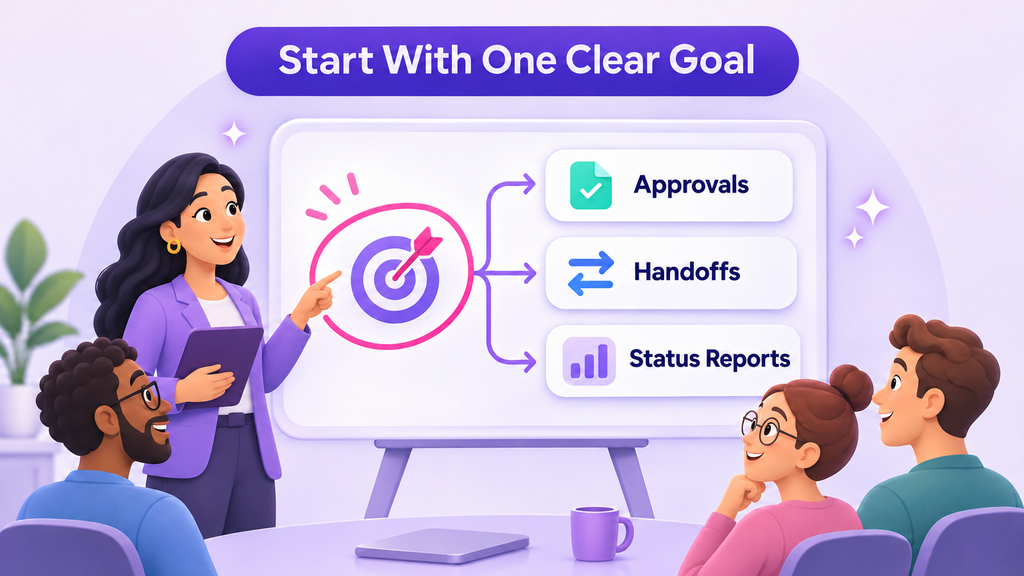
“Move the team to ClickUp” is a project, not a goal. Without a clear reason, nobody knows what success looks like or when to change course.
Change management research firm Prosci recommends that sponsors define success early and connect project milestones to adoption measures.
What leaders can do: Name one business problem the rollout should solve, such as slow approvals, missed handoffs, or time lost on status reports. Share it with the team before launch and refer back to it during reviews.
2. Adding ClickUp on top of the old process
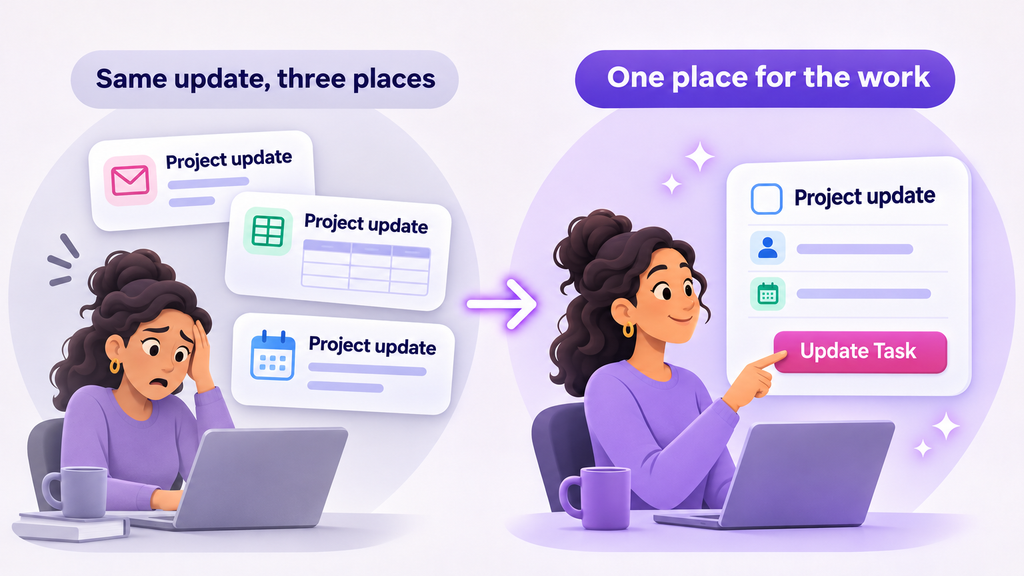
If people still send the same update by email, report it in a meeting, and enter it in ClickUp, the rollout has added work instead of removing it.
People will drop the part that feels optional. Usually, that’s the new tool.
What leaders can do: Decide what ClickUp replaces before launch. If a weekly report moves to a dashboard, stop asking for the spreadsheet version. Keep a separate report only when a client or business requirement needs it.
3. Leaders don’t work in it themselves
Teams follow what managers do, not what they announce. If a manager asks for updates in private messages, people learn that ClickUp isn’t where decisions happen.
Research backs this up. Prosci found that projects with extremely effective sponsors were 79% likely to meet their objectives, compared with 27% for extremely ineffective sponsors. In a 2024 McKinsey survey, organizations where leaders modeled the behaviors they expected from employees were 1.6 times more likely to report outperforming their peers.
What leaders can do: Run team reviews from the agreed ClickUp view. Ask questions in task comments, record decisions on the task, and check the dashboard before asking someone for an update.
4. Treating the training session as the finish line
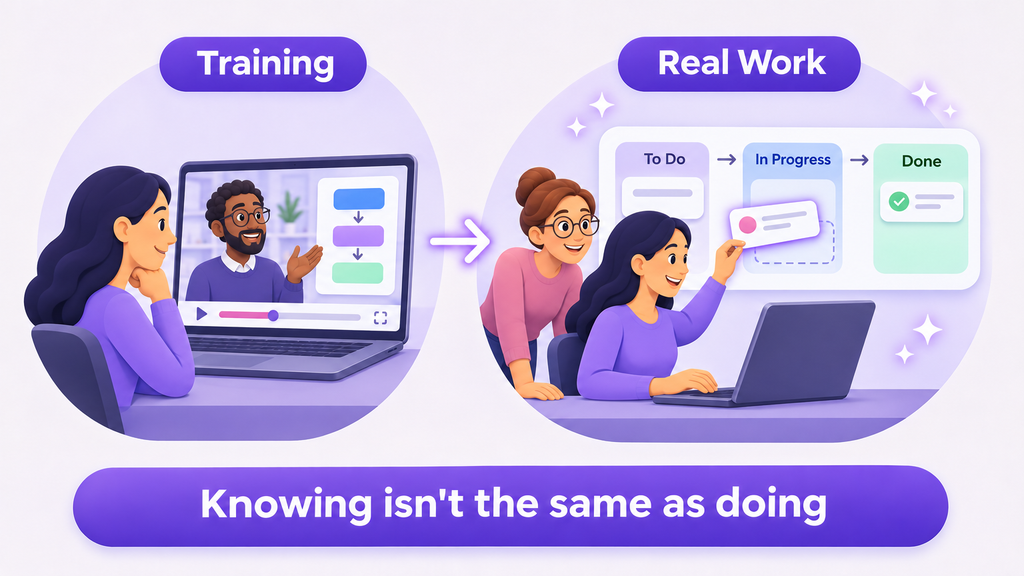
A training session gives people knowledge, but knowing how a feature works isn’t the same as using it in daily work. Prosci’s ADKAR model separates the two: people need both the knowledge and the ability to apply it on the job.
What leaders can do: Make time for people to practice with their own work in the first few weeks. Expect questions, and treat them as useful feedback, not resistance.
5. Going quiet after launch
New habits fade without reinforcement. The first few weeks matter most, because that’s when people decide whether the new way is worth the effort.
Peer influence helps here. According to McKinsey, organizations that engaged champions to influence others were almost four times as likely to see their efforts succeed.
What leaders can do: Choose a respected team member as the internal point of contact, and give them time for the role. Hold a short check-in each week for the first month to remove blockers and recognize good examples.
A leader’s checklist for your ClickUp rollout
Before and after launch, ask yourself:
Can the team explain why we’re using ClickUp in one sentence?
Have we stopped at least one old reporting habit?
Do I review work and give feedback inside ClickUp?
Has anyone been given time to support colleagues?
Are fewer “where are we on this?” messages coming in?
If you answered no to two or more, focus on those first. Adding more features won’t solve them.
How Dtech can help
Dtech works with leaders to plan and run ClickUp rollouts that fit how their teams actually work. Depending on the agreed scope, that can include setting rollout goals, leadership and role-based training, workspace improvements, and adoption follow-up.
Book a free ClickUp consultation atdtechsystems.coto review your rollout plan or find out why your current one has stalled.
Configuration and ongoing support are scoped separately.
AI productivity bottlenecks can leave a business waiting for the final result even when individual tasks become faster. A team may produce more code, draft more proposals, or prepare more content, yet deliver little additional work because review and acceptance cannot keep pace.
For business leaders, the practical question is where work goes after AI produces its first output. That is the point at which a productivity claim needs to become an operating discussion.
What the research examined
In their working paper, Artificial Intelligence in the Firm: Bottlenecks in Software Production, Fiona Chen and James Stratton study software engineering using data from an engineering analytics platform. The version reviewed here, dated 9 November 2026, covers 445 million work events involving 720,542 workers at 655 firms.
The authors use differences in the timing of firms' AI adoption to estimate effects. This is an observational research design whose interpretation depends on assumptions about the comparability of earlier- and later-adopting firms. It is not a randomised trial of ClickUp or a study of Dtech clients.
The paper distinguishes intermediate coding activity from final software output. That distinction matters: producing more material is different from getting reviewed, accepted work into use.
More activity did not produce proportional delivery gains
For coding assistants, the authors estimate a 30.4% increase in lines of code 12 months after adoption. Estimated effects on resolved issues and epics were much smaller. For coding agents, the paper estimates larger increases in coding activity and smaller increases in final output. The agents' effect on resolved issues is described as borderline statistically significant.
The review stage helps explain the gap. After agent adoption, the authors estimate that submission-to-approval time increased by 56.1%, alongside longer waiting and active review. These are estimates from the studied setting, not universal performance forecasts.
The paper also reports no detectable employment effect in its empirical analysis, with uncertainty around the estimates. Its longer-term employment and output scenarios are model simulations rather than observed outcomes.
A practical implication for ClickUp workflows
The study did not test ClickUp. Dtech's practical application of the bottleneck idea is to inspect the whole delivery path before expanding AI-assisted production.
Consider a hypothetical content team that can prepare ten drafts each week but can review only four. Increasing drafting capacity to twenty does not, by itself, increase publication capacity. It can instead create a larger queue of unfinished work.
Map the process through drafting, readiness for review, active review, revisions, and acceptance. Record the accountable reviewer and the information they need to decide. Keep the distinction between waiting and active work visible, even if the first version uses a simple manual measurement.
ClickUp can organise the associated tasks and owners. A useful configuration follows the team's actual approval process; it does not assume that moving a task to a particular status enforces an approval control automatically.
Measure the complete outcome
During an AI pilot, track four things: accepted output, elapsed delivery time, review effort, and rework. Compare similar work over a defined period and record changes in staffing or complexity that could affect the result.
If drafting gets faster while acceptance slows, investigate the queue. The reviewer may lack context, the output may need more correction, or too much work may be entering the stage at once. Each cause calls for a different intervention.
Try a bounded change, such as a clearer brief, smaller review batches, or protected reviewer time. Check the result before increasing upstream output again. Review quality remains part of the outcome; a shorter queue is not useful if acceptance becomes unreliable.
Choose the next improvement around the constraint
The research offers a reason to be precise about productivity. Businesses need useful work completed and accepted, alongside the ability to produce it efficiently. A faster task can support that goal when the surrounding process is ready.
Before adding another AI tool, identify where the work waits today, who can move it forward, and which change would help that stage. Then evaluate the result through the complete workflow.
Source: Chen and Stratton, working-paper version dated 9 November 2026, abstract and sections 1, 4–6, especially introduction pp. 3–6. The authors' public version is linked below and may be updated independently.
Finding operational waste starts with that question. Payroll buys 40 hours a week; most teams ship closer to 28 hours of real work. The difference isn’t effort. It’s meetings, reports, and tool-hopping nobody ever added up. This is a framework for finding operational waste in your own week.
One audited week · illustrative breakdown
58%
12%
9%
8%
7%
Real work 58%Meetings 12%Status updates 9%Searching 8%Rework 7%Switching 6%
Finding operational waste is hard because most teams never look for it. They either don’t measure where the week goes, or measure it once and never act on it. The result is the same: hours leak out through coordination overhead that every person assumes is just “how work works.” It isn’t. Here’s how to see it, size it, and start getting it back.
01The 40-hour illusion
Ask any team lead how their team’s week was spent and you’ll get a confident answer that is almost entirely wrong. Not because they’re careless, but because operational waste is distributed: fifteen minutes here, a forty-minute hunt there, a weekly report that takes half a day to assemble.
Research on knowledge work keeps landing on the same uncomfortable number: roughly 40% of the week goes to “work about work” — coordination, status reporting, searching, and switching — rather than the skilled work people were hired for. On a team of eight, that’s more than three full-time salaries spent on overhead.
Finding operational waste starts with naming the leaks. That’s what the framework is for.
02The Five Leaks framework for finding operational waste
Every hour of operational waste we’ve audited fits one of five categories. Each has a diagnostic question. If your team answers it instantly with a specific example, that leak is real.
L1
Assembly overhead
Meetings that exist to coordinate rather than decide. They multiply because nobody owns the decision, so everyone gets invited “just in case.”
DiagnosticDid this week’s recurring meetings each produce a decision, or just schedule the next one?
L2
The status tax
Reporting on work instead of doing it. Decks, digests, and standups compiled by hand from tools that already contain the answer.
DiagnosticHow long did your last status report take to build, and how many people actually read it?
L3
The hunt
Searching for the file, the brief, the latest version, the person who knows. Work scattered across tools guarantees this leak.
DiagnosticHow many different places would you check to find the current version of your most important document?
L4
The rework loop
Doing it twice because context was lost between people, or the brief lived in someone’s head and came out wrong.
DiagnosticHow much of this sprint is fixing or redoing last sprint’s work?
L5
Context switching
App-hopping, pings, and interruptions. Each switch costs more than the interruption itself: it costs the ramp back into focused work.
DiagnosticHow many tools did each person on your team touch before lunch today?
03The 5-minute audit
Before you measure anything precisely, run this. Tick every item where you can point to a specific example from the last two weeks. No estimates, no “probably”: a real instance or nothing.
0 of 6 ticked · be honest, last week counts
Three or more confident ticks means your operational waste is structural, not incidental. That’s normal. It’s also fixable, but only if you target it rather than “working harder,” which is how teams usually respond and why nothing changes.
04Operational waste vs. real work
The goal of finding operational waste is never a calendar with zero meetings or a team that never talks. The framework targets coordination cost, not coordination itself. Cut the left column ruthlessly; protect the right one at all costs.
Compiling a status report by hand every Friday
A recurring “sync” with no agenda and no decision owner
Searching across four tools for the latest version of a file
Reformatting the same update for three different audiences
Chasing an approval through a 40-message chat thread
Redoing work because requirements lived in someone’s head
Deciding, designing, writing, building, selling
Talking to customers and learning something new
Deep, focused work on the thing you were hired to do
Reviewing work to make it genuinely better
Debates that end in a real decision (even a long one)
Cutting a real discussion is not savings; it’s damage with a nicer chart. The test is simple: did it produce a decision, a deliverable, or a customer insight? If yes, it stays.
05Measure before you fix
Don’t guess at the size of the leaks. Instrument them. Have the team track time for two weeks against the five categories, then attack the biggest one first. Two rules make finding operational waste actually pay off:
One leak at a time. Fixing everything at once is how audits die in a slide deck. The biggest leak alone is usually worth more than the other four combined.
Fix the system, not the people. If the status tax is your biggest leak, the answer isn’t asking people to report faster; it’s making the work visible so reporting disappears. Tools like ClickUp’s Time Tracking and live dashboards exist precisely so status compiles itself.
Try it: run your team through the Leak Ledger
Estimate honestly (per person, per week) and watch what the five leaks cost at team scale. The quarterly number is the one that gets budgets approved.
The Leak Ledger
TIME AUDIT · 1 WK
People on the team
8
—team hours lost / week
—of each 40-hour week
—team days lost / quarter
—
FAQ: finding operational waste
What actually counts as operational waste?
Work about work: coordinating, reporting, searching, redoing, and switching. Anything that isn’t the work itself or a decision about it. A two-hour debate that ends in a real decision is not waste. A 30-minute meeting that schedules another meeting is.
How is finding operational waste different from time tracking?
Time tracking tells you where the hours went. This framework tells you which of those hours shouldn’t exist at all. You need the first to run the second, which is why measurement comes before fixing.
How often should we run the audit?
Quarterly. Waste creeps back in every time the team grows, a tool gets added, or a process changes. The checklist takes five minutes; the fix for the biggest leak usually takes a sprint.
What’s a realistic target?
Most teams can recover 15 to 25 percent of the week within one quarter by killing their single biggest leak first. Trying to fix all five at once is how audits die in a slide deck.
Do we need new tools to fix operational waste?
Usually the opposite: fewer tools, better configured. Consolidating tasks, docs, goals, and chat in one platform like ClickUp removes most of the hunt and a big chunk of the status tax, because the work and the reporting live in the same place.
When it comes to AI agents vs automation, most businesses are asking the wrong question. They’re not asking “which one do we need” — they’re asking “how do we get one of whatever everyone else is calling AI.” That’s how companies end up overpaying for intelligence they don’t need, or underbuilding a process that actually required judgment all along.
Every product update this year ships with the same headline: “now powered by AI agents.” Every vendor pitch leads with autonomy and intelligence. If you’re trying to figure out what your business actually needs, the noise has gotten loud enough to bury the one question that matters. This guide breaks the AI agents vs automation comparison down properly — the definitions, the cost implications, the common mistakes, and the practical framework you can apply to any process in your business starting today.
1. AI Agents vs Automation: The Core Definition
The starting point of any AI agents vs automation decision is understanding that these are not two versions of the same thing. One isn’t a “better” upgrade of the other. They are built to solve fundamentally different kinds of problems.
Automation is deterministic. It runs on a fixed set of rules: if X happens, do Y. There’s no interpretation, no judgment, no “it depends.” You define the trigger, you define the action, and it fires the same way every single time, regardless of context.
→ Where does a task sit waiting on a person for days before anyone notices? → Where does the same manual step get repeated across dozens of tickets, deals, or campaigns a week? → Where does someone spend an hour finding information that should take five minutes? → Where does a handoff between teams routinely lose context?
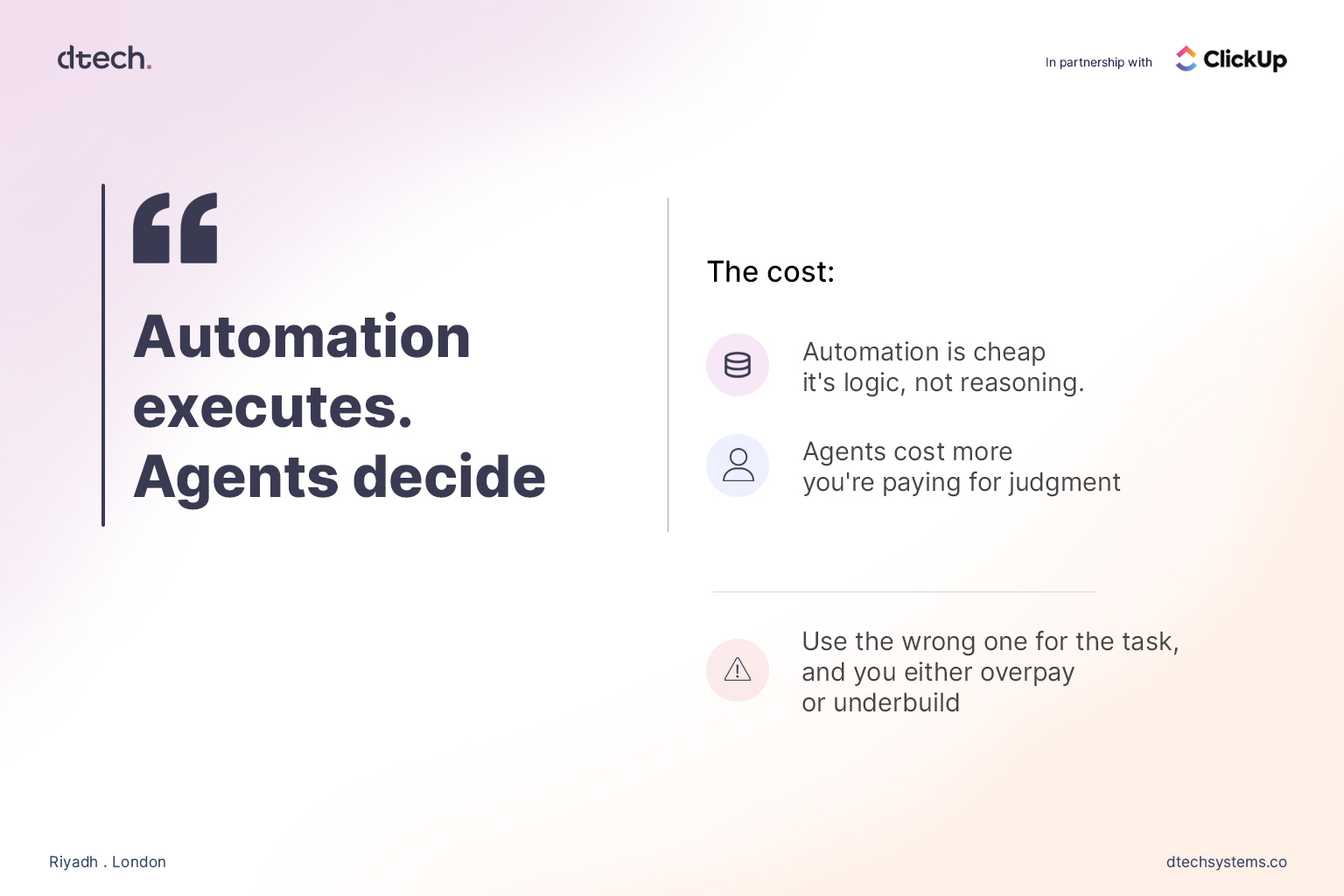
In the AI agents vs automation comparison, the distinction comes down to one line: automation executes, agents decide. Once a business internalizes that, the conversation stops being “which one is better” and becomes “which parts of our workflow actually need judgment, and which parts just need to run reliably.”
2. AI Agents vs Automation: Cost and Complexity
Cost is where the AI agents vs automation decision has real financial weight, and it’s where a lot of businesses get burned.
Automation is cheap to build and cheap to run. It’s logic, not reasoning — a rule engine executing the same instruction every time it’s triggered. There’s no ongoing “thinking” cost, no token spend, no variability in output. Once it’s configured correctly, it just runs.
AI agents cost more, because you’re paying for judgment, not just execution. Every decision an agent makes involves interpreting context, which means compute, and which means a price tag that scales with how much reasoning you’re asking for. That’s not a reason to avoid agents — it’s a reason to be deliberate about where you deploy them.
This is where businesses tend to go wrong in one of two directions:
Underbuilding: Forcing a static, rule-based workflow to handle a task that genuinely requires judgment. The rule can’t account for the exceptions, the edge cases, the “it depends” scenarios — so it either breaks, or it quietly produces the wrong outcome without anyone noticing until it’s a bigger problem
Common examples of automation:
Move a task to “Done” automatically once every subtask closes
Route a new support ticket by keyword or category
Send a Slack alert when a deadline is 24 hours out
Assign a new lead record to the right rep based on territory
Where does a task sit waiting on a person for days before anyone notices?
Where does the same manual step get repeated across dozens of tickets, deals, or campaigns a week?
Where does someone spend an hour finding information that should take five minutes?
Where does a handoff between teams routinely lose context?
3. AI Agents vs Automation: Where Companies Get It Wrong
The most common mistake in the AI agents vs automation debate isn’t picking the wrong tool — it’s skipping the workflow audit entirely.
Here’s the pattern: a business sees a competitor announce an “AI agent.” They don’t want to be left behind. They buy or build an agent and point it at a process that was never clearly defined in the first place — inconsistent task ownership, messy or incomplete data, no shared definition of what “done” actually looks like across the team.
The agent doesn’t fix any of that. It can’t. An agent making decisions inside a broken workflow just makes bad decisions faster and with more apparent confidence. Nothing has actually been solved — the chaos has just been automated and given a more convincing voice.
Where does a task sit waiting on a person for days before anyone notices?
Where does the same manual step get repeated across dozens of tickets, deals, or campaigns a week?
Where does someone spend an hour finding information that should take five minutes?
Where does a handoff between teams routinely lose context?
Only after answering those questions do they know where automation belongs and where an agent belongs — and in what order to build them.
4. AI Agents vs Automation: Sequencing Matters
There’s a sequencing mistake baked into most AI adoption efforts: companies try to deploy agents before they’ve automated the basics. That’s backwards, and it’s an expensive way to learn the lesson.
If your task statuses aren’t updating reliably, if your team is manually reassigning work that should route itself, if reminders are falling through the cracks — none of that gets fixed by adding an agent on top. It gets fixed by automation. Clean, rule-based automation is the foundation. It’s what makes your underlying data trustworthy and your workflow legible enough for an agent to operate inside without immediately going off the rails.
Skip that foundational step, and you’re asking a decision-making system to make decisions based on incomplete or inconsistent information. The output will look confident. It won’t be reliable — and confident, unreliable output is often worse than no automation at all, because it erodes trust in the system faster than a visible failure would.
Get the automation layer right first. Then decide, deliberately, where judgment genuinely needs to enter the picture — and that’s where an AI agent belongs in the stack.
5. AI Agents vs Automation: What This Looks Like in ClickUp
Automations handle the deterministic layer: status changes, task assignments, recurring work, due-date reminders, and notifications when something needs attention. None of it requires interpretation. None of it should cost you agent-level compute or complexity. It’s rules, running reliably, in the background, exactly the way they were configured to.
Super Agents handle the judgment layer. A new lead comes in — a Super Agent researches it, enriches the record with relevant context, and flags whether it’s genuinely worth a rep’s time before anyone manually touches it. A time-off request comes in — a Super Agent checks it against team capacity and existing coverage instead of someone manually cross-referencing five different calendars. Across a busy workspace, instead of a flat, undifferentiated list of a hundred open tasks, an agent can surface what actually needs attention right now and explain why.
You don’t have to pick one paradigm for your entire business. The AI agents vs automation line gets drawn task by task, process by process, inside the same workspace.
Before adding any AI tool — agent or otherwise — to your stack, there’s one question worth asking about the specific task in front of you:
Is this a decision, or is this a rule?
If it’s a rule — if the right action is always the same action, regardless of context — automate it. Do it now. It’s cheap, it’s fast to configure, and it removes the manual work without adding unnecessary cost or complexity.
Everything else — the tools, the hype, the “we’re an AI-first company” branding — is noise dressed up as strategy. The businesses that actually benefit from this moment aren’t the ones with the most AI. They’re the ones who took the time to understand the AI agents vs automation distinction and built accordingly, task by task.
FAQs
Everything you need to know about AI agents vs automation.
Is an AI agent just advanced automation?
No. Automation runs fixed rules with no interpretation — the
output never changes for a given trigger. AI agents make
decisions based on context that changes case by case. In the
AI agents vs automation comparison, they’re built to solve
different kinds of problems, and treating one as a simple
upgrade of the other is where most AI adoption mistakes start.
Should a business start with automation or AI agents?
Automation first, always. It builds the clean, reliable
workflow foundation an AI agent needs in order to make good
decisions on top of. Deploying agents before automating the
basics means asking a reasoning system to work with
incomplete or inconsistent data.
Can automation and AI agents work together?
Yes — and in most real workflows, they should. ClickUp
Automations handle the rule-based layer while Super Agents
handle the judgment layer, inside the same workspace, so
teams don’t have to choose one paradigm across the whole
business.
How do I know which tasks need an agent instead of automation?
Ask whether the correct action ever changes based on context.
If it’s always the same response to the same trigger, it’s a
rule — automate it. If the right response depends on details
that shift case by case, it’s a decision — that’s where an
AI agent belongs.
AI maturity model is the term more businesses should be searching before they buy another AI tool. Every company in Saudi Arabia now claims to be “doing AI.” Few can tell you how much AI they’re actually doing — or whether any of it is working.
That gap is the real problem. Not the tools. Not the budget. The gap between believing you’ve adopted AI and actually knowing where you stand.
This is exactly where an AI maturity model earns its keep. It’s not a scorecard designed to make you feel behind. It’s a mirror — one that shows you precisely which stage your workflows are in, and precisely what the next stage requires from you.
Why “Are We Using AI?” Is the Wrong Question
Most companies answer that question with a list of tools: a chatbot here, an AI writing assistant there, maybe a forecasting model tucked into finance. But tool count is a vanity metric. It tells you nothing about whether AI is actually changing how work gets done day to day.
The right question isn’t “are we using AI.” It’s “how deeply is AI embedded in how our teams actually operate.” That’s a maturity question, not a checklist question — and answering it properly requires an AI maturity model, not a tool inventory.
Stage 1: Ad Hoc AI shows up as individual experiments. Someone on the marketing team uses a chatbot to draft captions. Someone in sales uses AI to summarize a call. There’s no strategy, no shared system, and no visibility for leadership into who’s doing what. Value exists, but it’s invisible and unrepeatable — which is precisely why a business at this stage needs an AI maturity model to make the gaps visible.
Stage 2: Departmental One team formalizes its use of AI — usually whichever team is under the most pressure to move fast. Marketing might standardize on an AI content tool. Support might roll out an AI ticket-triage flow. The results are real, but they live in a silo. Other departments don’t know the system exists, let alone how to replicate it.
Stage 3: Integrated AI moves out of silos and into shared systems. This is the stage where the platform matters more than the tool, because integration requires a workspace where data, tasks, and AI outputs sit in one place instead of scattered across five apps. Teams start automating handoffs between each other, not just individual tasks within their own corner of the business.
Stage 4: Autonomous AI agents start making decisions within defined boundaries — triaging incoming leads, reassigning overdue tasks, flagging risks before a human even notices them. This is where something like ClickUp’s Autopilot Agents changes the equation: agents that act inside your existing workflow rather than requiring a new one bolted on the side.
Stage 5: Adaptive The organization treats AI maturity as a continuous capability, not a project with an end date. Workflows self-adjust based on outcomes. Leadership reviews AI performance the way it reviews revenue — as a standing metric, not a one-time initiative to check off.
Where Most Saudi Businesses Actually Sit
If we’re honest, most organizations riding this year’s AI wave — accelerated by Vision 2030’s push toward digital-first operations — are sitting between Stage 1 and Stage 2 on the AI maturity model. Lots of individual experimentation. Very little integration. Almost no organizations have reached Stage 4, where AI acts rather than just assists.
That’s not a criticism. It’s the natural result of adopting tools faster than restructuring the workflows underneath them. But it does mean most companies are leaving the real value of AI — compounding efficiency, not one-off time savings — sitting on the table.
The Jump From Stage 2 to Stage 3 Is Where Businesses Get Stuck
This is the stage where tool sprawl becomes the enemy of progress — a pattern we broke down in Your Company Doesn’t Need More AI Tools. It Needs Better Workflows. You can’t integrate AI across departments when every department is using a different tool with no shared data layer underneath it. This is exactly the problem workflow platforms like ClickUp exist to solve: one system where tasks, docs, chat, and AI sit together, so AI outputs from one team become usable inputs for the next.
This is the stage where tool sprawl becomes the enemy of progress. You can’t integrate AI across departments when every department is using a different tool with no shared data layer underneath it. This is exactly the problem workflow platforms like ClickUp exist to solve: one system where tasks, docs, chat, and AI sit together, so AI outputs from one team become usable inputs for the next.
Moving from Stage 2 to Stage 3 on the AI maturity model isn’t about adding another AI tool. It’s about consolidating the ones you already have into a system that lets them talk to each other.
How to Use an AI Maturity Model in Your Own Business
Applying an AI maturity model doesn’t require a consultant on day one. Start by mapping, honestly, which stage each department sits in today — not where you’d like them to be. Then look for the biggest gap between departments; that gap is usually where the most value is being lost. Finally, pick one workflow to move up a full stage before spreading effort across ten. Maturity compounds fastest when it’s concentrated, not scattered.
Assess Before You Automate
The businesses that get the most out of AI aren’t the ones with the most tools. They’re the ones who diagnosed their stage on the AI maturity model honestly before deciding what to build next. Skipping that step is how companies end up automating a broken process — and getting a faster version of the same problem.
If you don’t know your stage, that’s the first project. Not the AI rollout — the audit.
Dtech Systems helps businesses map their position on the AI maturity model and build the ClickUp workflows to move up it — not just adopt more tools
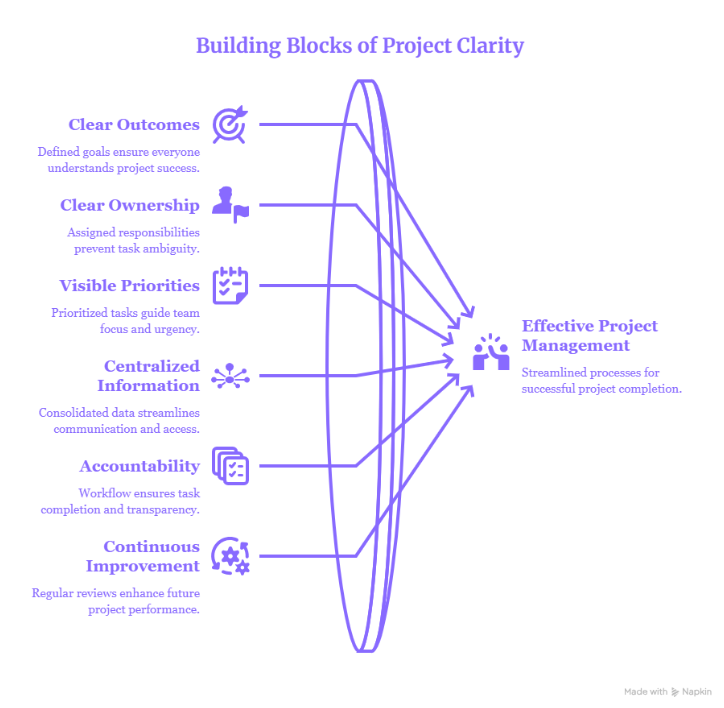
Quick Answer: The fastest way to fix a struggling team is to apply proven project management best practices: set clear outcomes, assign clear ownership, prioritize visibly, centralize information, build in accountability, and review continuously — and do it inside a single platform like ClickUp, so nothing lives in scattered spreadsheets, inboxes, and chat threads. Teams that follow these project management best practices on a unified workspace ship projects faster, lose less time to status-chasing, and give leadership a source of truth they can actually trust.
Below are the six project management best practices every team — startup, mid-market, or enterprise — should have in place, why each one matters, and how ClickUp (implemented the right way) turns them from good intentions into daily habits.
1. Set Clear Outcomes Before You Set Tasks
The most common reason projects stall isn’t a lack of effort — it’s a lack of a defined finish line. Defined goals ensure everyone understands what “done” and “successful” actually mean, instead of guessing. This is arguably the foundation of all project management best practices: if the outcome isn’t clear, no amount of task management will save the project.
In ClickUp, this looks like Goals and Targets tied directly to your Spaces and Lists, so every task rolls up to a measurable objective instead of floating on its own.
2. Assign Clear Ownership for Every Task
Ambiguous responsibility is where deadlines quietly die. Assigned ownership prevents the “I thought someone else was handling that” problem that derails timelines. One of the simplest project management best practices to implement — and one of the most overlooked — is making sure every single task has exactly one accountable owner, not a group of watchers.
ClickUp’s Assignees, Watchers, and RACI-style custom fields make ownership visible at a glance, so managers spend less time chasing updates and more time unblocking work.
3. Keep Priorities Visible to the Whole Team
When everything is “urgent,” nothing is. Visible, prioritized tasks guide team focus so people spend their energy on what actually moves the project forward, not just what’s loudest in the group chat. Strong project management best practices always include a shared, visual view of priority — not a priority list that lives only in the project manager’s head.
ClickUp’s Priority flags, Board view, and Gantt charts let teams see what matters most in seconds, across any device.
4. Centralize Information in One Workspace
Consolidated data streamlines communication and eliminates the “which version is correct?” chaos that comes from splitting work across email, spreadsheets, Slack, and five different tools. Centralization is where project management best practices and platform choice intersect directly — this practice is nearly impossible without the right system underneath it.
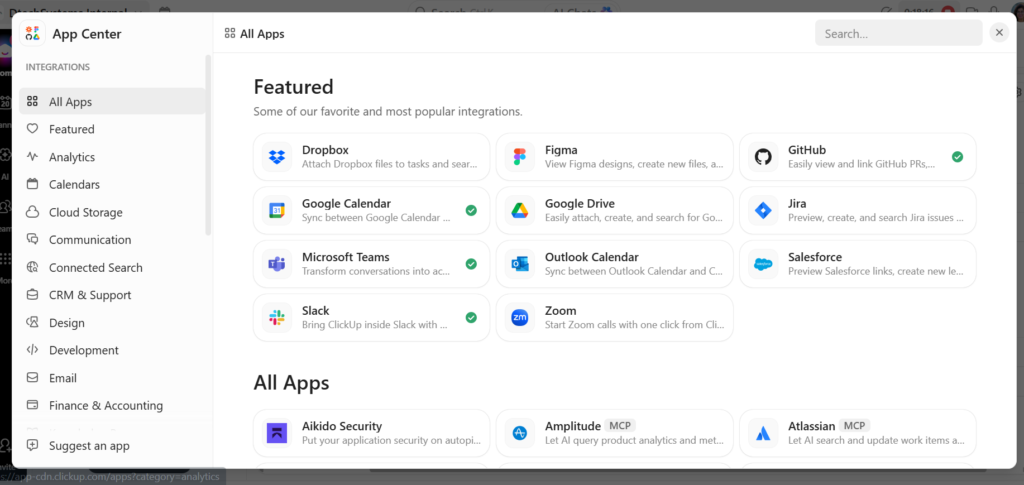
This is exactly the gap ClickUp is built to close. It replaces 20+ disconnected apps — tasks, docs, chat, dashboards, and reporting — with one workspace, so leadership finally gets a single source of truth and any AI layered on top can see the whole picture instead of fragments.
5. Build Accountability Into the Workflow
A workflow with built-in checkpoints ensures task completion and transparency, rather than relying on managers to manually track down status. Accountability is one of the project management best practices teams say they value most — and the one most often skipped, because it’s harder to enforce without structure.
ClickUp Automations, status workflows, and dashboards make accountability structural instead of personal: tasks move through stages automatically, and overdue or stuck work becomes visible without anyone having to ask.
6. Review and Improve Continuously
Regular reviews enhance future project performance by turning every completed project into a lesson for the next one. Continuous improvement is the project management best practices habit that compounds over time — teams that skip it repeat the same mistakes project after project.
ClickUp Dashboards and reporting views make retrospectives data-driven rather than anecdotal, so teams can see exactly where time was lost and fix it before the next sprint.
Why Most Teams Struggle to Make These Stick—And How Dtech Helps
Knowing project management best practices is easy; making them part of everyday work is harder. ClickUp research found that teams can spend over 60% of their time searching for information and context across workplace communication.
That’s where Dtech Systems can help. With 13+ years of experience, 160+ projects delivered, 17+ startups supported, and an average 25% time saved per client, Dtech brings hands-on experience to ClickUp implementation and project workflow optimization.
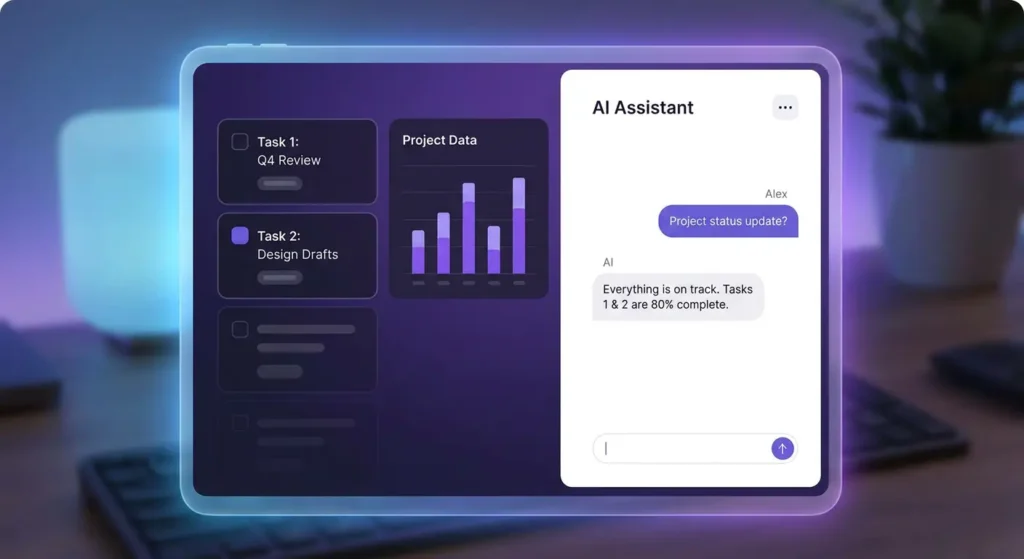
Dtech also helps integrate Claude with ClickUp, allowing teams to work with their existing tasks, documents, and operational data while automating repetitive work and generating reports.
The result is more than implementing a tool—it’s turning project management best practices into repeatable workflows your team can actually follow.
Frequently Asked Questions (FAQs)
What are the most important project management best practices?
The most important project management best practices are setting clear outcomes, assigning clear task ownership, keeping priorities visible, centralizing project information, building accountability into the workflow, and reviewing performance continuously. Together, these practices prevent the two biggest causes of project failure: ambiguity and lost information.
How does ClickUp support project management best practices?
ClickUp supports these practices by replacing scattered tools — spreadsheets, email, chat, and separate reporting apps — with one workspace containing tasks, docs, dashboards, automations, and goals. Because everything lives in one place, teams can apply outcome-setting, ownership, prioritization, and accountability without switching between systems, which is the single biggest barrier to consistent execution.
Do I need a consultant to implement project management best practices, or can I do it myself?
You can implement basic practices yourself, but most teams struggle with adoption, not setup — configuring a tool is easy, getting the whole team to actually use it daily is not. Partners like Dtech Systems specialize in this gap: they map your existing workflows, build them into ClickUp, and coach the team live until the new habits stick, which is typically where self-led rollouts fail.
The most important project management best practices are setting clear outcomes, assigning clear task ownership, keeping priorities visible, centralizing project information, building accountability into the workflow, and reviewing performance continuously. Together, these practices prevent the two biggest causes of project failure: ambiguity and lost information.
ClickUp supports these practices by replacing scattered tools — spreadsheets, email, chat, and separate reporting apps — with one workspace containing tasks, docs, dashboards, automations, and goals. Because everything lives in one place, teams can apply outcome-setting, ownership, prioritization, and accountability without switching between systems, which is the single biggest barrier to consistent execution.
You can implement basic practices yourself, but most teams struggle with adoption, not setup — configuring a tool is easy, getting the whole team to actually use it daily is not. Partners like Dtech Systems specialize in this gap: they map your existing workflows, build them into ClickUp, and coach the team live until the new habits stick, which is typically where self-led rollouts fail.
The Real Problem Isn’t the AI tool—it’s the workflow
Quick answer: Adding more AI tools to a broken process doesn’t fix the process—it just automates the chaos faster. Only about 5% of enterprise AI pilots actually succeed, not because the tools were weak, but because the workflows underneath them were never fixed first. The companies that get real ROI from AI redesign the workflow first, then implement the AI tools inside it, and then train people until the new process becomes a habit—not just another login nobody uses.
Why Buying More AI Tools Doesn’t Solve the Problem
Most teams treat AI like a shortcut: install the tool, and hope productivity follows. In practice, stacking new AI tools on top of a disorganized process just adds another tab, another login, and another place for work to get lost. The tools are sitting there. The habits never changed.
This is the gap between owning AI tools and operating on AI-tools. A license doesn’t rebuild a workflow. A person still has to map how work actually moves—who does what, in what order, with what context—before any AI tool can meaningfully speed it up.
The Real Problem Isn’t the AI Tools—It’s the Workflow Underneath Them
Before you evaluate another vendor, look at what’s actually slowing your team down. Teams routinely lose a majority of their time switching, searching, and syncing across disconnected tools—email in one place, tasks in another, docs in a third, and AI tools in a fourth. Every switch is a small tax. Multiply that across a team of 20, 50, or 500 people, and the tax becomes the biggest line item nobody’s tracking.
Tool Sprawl Quietly Kills the ROI of AI Tools
The more disconnected systems a team runs, the less any single AI tool can “see.” An AI assistant that only has access to one tool’s slice of the picture—a task list without the docs, a chat thread without the deadline — gives half-answers. It’s not the model that’s underperforming. It’s the fragmented data the model is working from.
Adoption Fails Before the Tool Does
Dashboards get built. AI get bolted on. Six months later, leadership stops trusting the reports, and the team quietly slips back to spreadsheets and WhatsApp. This is the single most common failure pattern with AI tools in the enterprise: the rollout, not the technology.
Reports on artificial intelligence in the Gulf Cooperation Council (GCC) in 2026 show that formal AI adoption and policy support have risen to 84%, yet around 70% of enterprise AI initiatives still fail to scale or deliver measurable financial returns.
For enterprise teams managing multiple workstreams, this isn’t minor friction. It’s the difference between AI that saves time and AI that creates more work.
How to Fix Workflows Before Adding More AI Tools
If your organization already owns several AI tools and isn’t seeing the payoff, the fix isn’t a new subscription. It’s a sequence:
Map the real process—not the org-chart version, the version people actually follow, exceptions included.
Consolidate the workspace—get tasks, docs, chat, and reporting into one place so AI tools have full context instead of fragments.
Wire in AI tools with context, not in isolation—connect AI to real tasks and decisions so they draft, summarize, and route work grounded in what’s actually happening, not the open internet.
Train the habit, not just the login—live coaching on real work until the new process sticks, because a workspace nobody trusts is just another tab.
Support it after launch—workflows drift; someone needs to keep tuning the process and the AI tools inside it.
Skip step one, and every AI tool you add afterward inherits the same broken process, just faster.
How Dtech Helps Teams Get More From Their AI Tools
This is exactly the gap Dtech was built to close. Dtech is an AI consulting firm and Diamond ClickUp & Anthropic partner that designs and optimizes how a business actually works—the processes, the workflows, the automation—and only then implements it with the AI tools it knows best: ClickUp for the work, and Claude for the intelligence. As the team puts it, the tool is never the point; the result is.
In practice, that means:
Consolidating the stack first. ClickUp replaces 20+ disconnected apps — tasks, docs, chat, dashboards, and reporting — into one workspace, so any AI tools layered on top see the whole picture instead of a fragment of it.
Grounding Claude in your real work. Rather than bolting on a generic chatbot, Dtech wires Claude into your actual tasks, docs, and decisions, so it drafts updates, triages requests, and answers questions from your operational record — not the public internet.
Treating adoption as the deliverable. Every engagement runs Business Consulting → Implementation → Adoption → Support, with live coaching on real work until the new process becomes habit, not just another set of AI tools nobody opens.
Proving it before scaling it. Dtech starts with one free hour on one real workflow. If it works, teams ask for more; if it doesn’t, they stop—which is a useful bar for judging any AI tools vendor.
With 200+ projects delivered, 13+ years operating, a 4.8 rating on Clutch, and native bilingual (English/Arabic) delivery across Riyadh and London, Dtech’s position is straightforward: buying AI tools is easy, landing them is the hard part.
Frequently Asked Questions (FAQs)
Why do so many companies fail to get value from their AI tools?
Because most organizations buy AI tools before fixing the process the tools sit inside. The recurring cause isn’t model quality — it’s rolling AI tools out onto workflows that were already fragmented, so the tools inherit the same chaos instead of removing it.
Do more AI tools automatically mean better productivity?
No. Every additional disconnected AI tool can add to the switching-and-searching tax rather than reduce it. Productivity gains come from consolidating context first, then adding AI tools that can see the full picture — not from the raw number of tools purchased.
How can a company make sure its AI tools actually get adopted?
Adoption, not technology, is usually the bottleneck. The fix is treating rollout as its own project: process mapping before configuration, live coaching on real work (not generic training), and ongoing support after launch so the habit sticks past the first month.
Because most organizations buy AI tools before fixing the process the tools sit inside. The recurring cause isn’t model quality — it’s rolling AI tools out onto workflows that were already fragmented, so the tools inherit the same chaos instead of removing it.
No. Every additional disconnected AI tool can add to the switching-and-searching tax rather than reduce it. Productivity gains come from consolidating context first, then adding AI tools that can see the full picture — not from the raw number of tools purchased.
Adoption, not technology, is usually the bottleneck. The fix is treating rollout as its own project: process mapping before configuration, live coaching on real work (not generic training), and ongoing support after launch so the habit sticks past the first month.